Choose the Split Mode:
a. User: play the split file in the “split” folder which has been created by
the split tool.
b. Mode1-Mode4: Choose from the four pre-designed split modes shown
when selected. The maximum amount of images that can be shown is
five at any one time.
Photo Show Time: Choose the time before displaying the next photo.
Split Update: Save the selected split mode.
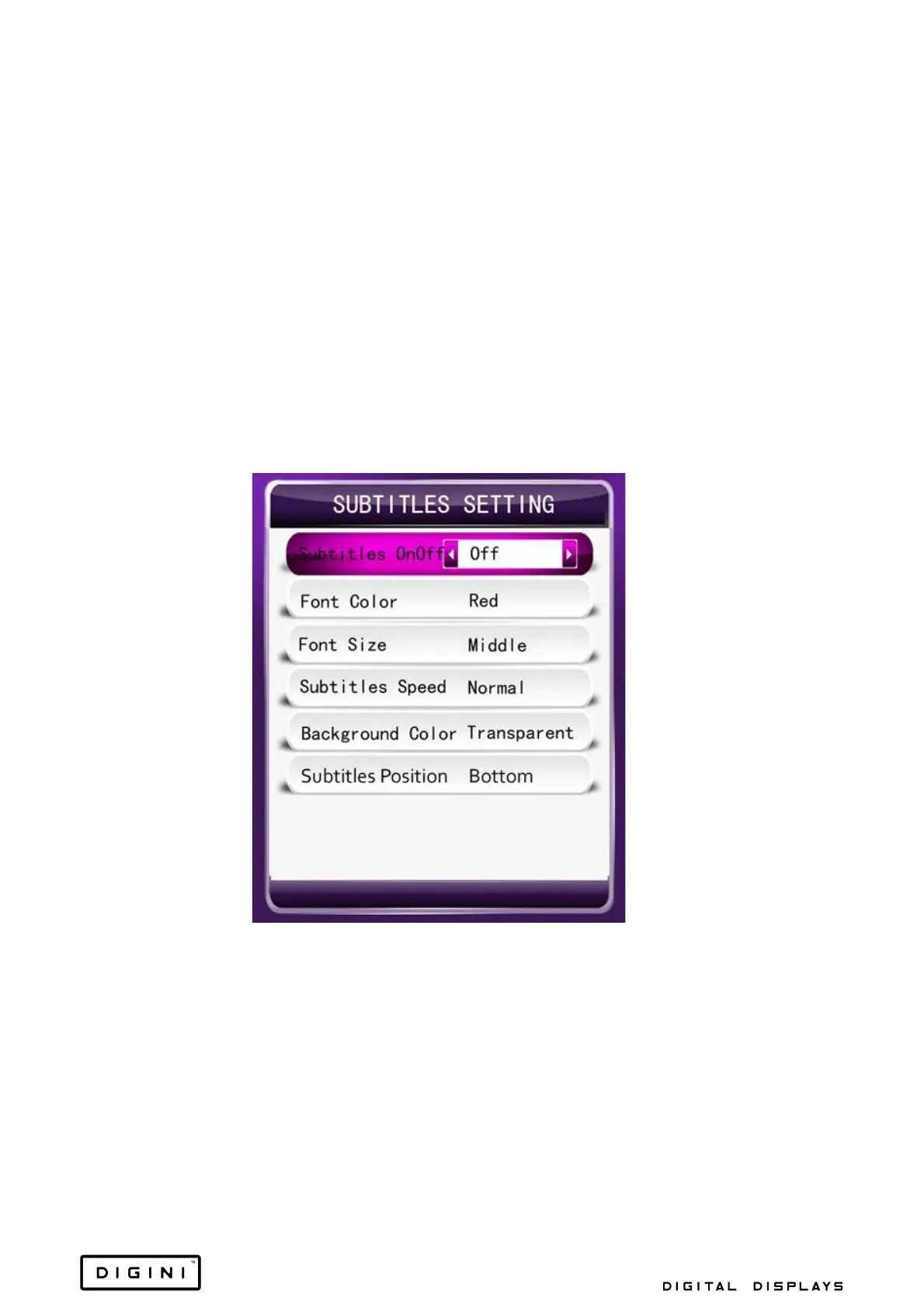
Subtitles Setting
1. Subtitles OnOff: Set the rolling subtitles to on or off.
2. Font Colour: Set the colour of the subtitles.
3. Font Size: Set the size of the subtitle fonts.
4. Subtitles Speed: Set the rolling speed of the subtitles.
5. Background Colour: Set the background colour of the subtitles.


 To Next Page