DG-GS4600SE2 Installation Guide
Chapter 2-6
Caution!
Users should prepare the required tools by themselves.
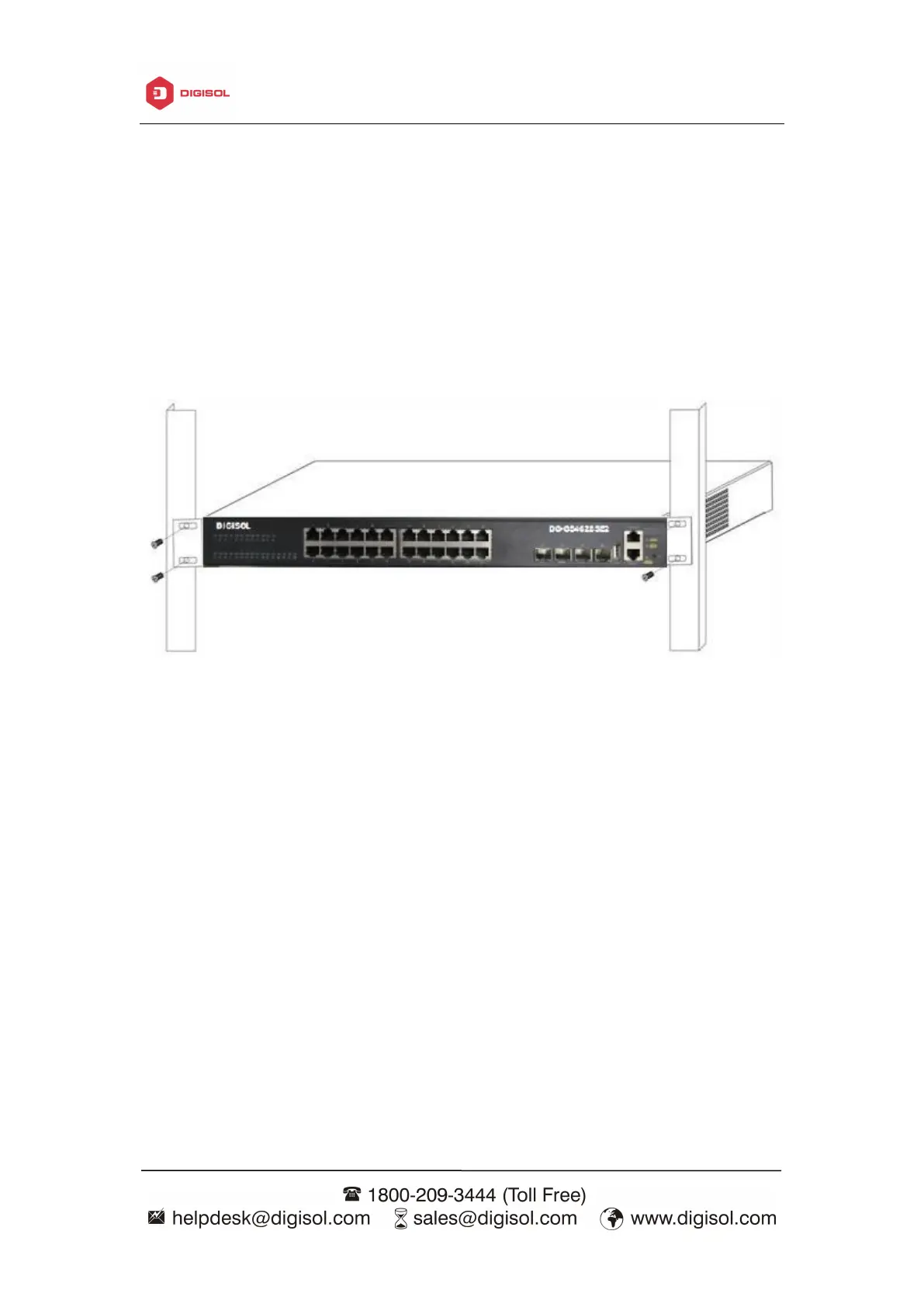
Fig 2- 1 Install sketch map on the rack
Please mount DG-GS4600SE2 series on the 19’’ rack as below:
1. Attach the 2 brackets on the DG-GS4600SE2 series with screws provided in the
accessory kit.
2. Put the bracket-mounted switch smoothly into a standard 19’’ rack. Fasten the
DG-GS4600SE2 series to the rack with the screws provided. Leave enough space around
the switch for good air circulation.
Caution!
The brackets are used to fix the switch on the rack. They can’t serve as a bearing.
Please place a rack shelf under the switch. Do not place anything on top of the switch. Do
not block the blowholes on the switch to ensure the proper operation of the switch.



 To Next Page
 Loading...








