Note: The maximum supported capacity on an internal or external hard drive is 2TB. It is possible to use
larger drives, but they must be formatted by the encoder and the
recording space will be reduced to 2TB.
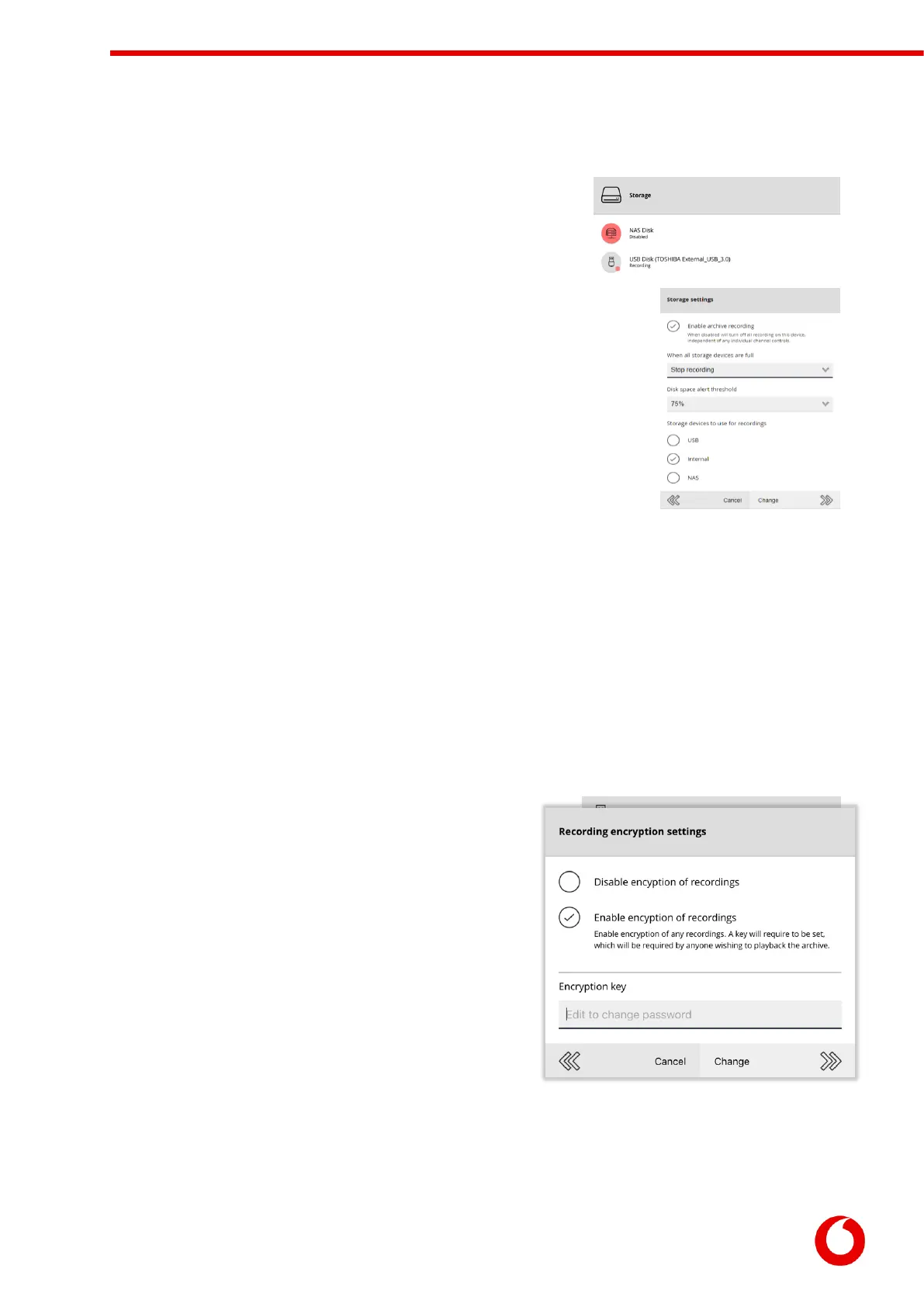
The Recording Storage page will list all available recording locations.
If multiple locations are available, the encoder will pool the locations to
increase the available storage duration.
The Storage Settings menu option can be used to configure various aspects of
the recording. For security reasons, it is possible to enable/disable individual
types of recording devices (or to turn off recording entirely).
When all storage devices become full it is possible to either:
Overwrite oldest recordings (default)
Stop recording
When stop recording is selected the encoder will start to send out notifications
when each disk starts to become full (the threshold is configurable).
To view the settings and status of a recording location select it from the list.
As well as showing the status of the device (including how full it is) it also allows the user to format the
drive, or safely eject the drive from the encoder.
Users wishing to use a NAS drive will require the Windows file share information:
The IP Address of the NAS (e.g. 192.168.10.12)
The name of the share (e.g. share)
The username/password to connect to the NAS
Recording drives can also be speed tested to determine if the storage device is fast enough for recording
purposes.
5.4.1 Setting the recording encryption
settings
By default, the encoder will not encrypt or password protect
the recordings. This allows the recordings to be played on any
PC by anyone who has the appropriate playback software.
Using the Recording Encryption Settings menu option, it is
possible to encrypt the recordings so that only those with the
encryption key can review the recordings on the disk.
Changing the recording key will stop recording until all
attached recording disks are reformatted.



 To Next Page