EasyManua.ls Logo

Digital Concepts 81480 - Transferring Images to Your PC; Transfer Images Using PhoTags Express

Digital Concepts 81480
40 pages
Print Icon
To Next Page IconTo Next Page
To Previous Page IconTo Previous Page
Loading...
Transferring Images to your PC
Transfer Images Using PhoTags Express
1. Make Sure that the camera is in the Digital Camera Mode.
2. Plug one end of the USB cable into the USB port of the camera.
2. Plug the other end of the USB cable into a USB port on your computer.
3. If the Camera is off it will automatically be turned on when the USB cable is properly connected
and the Transfer mode icons will appear on the LCD screen.
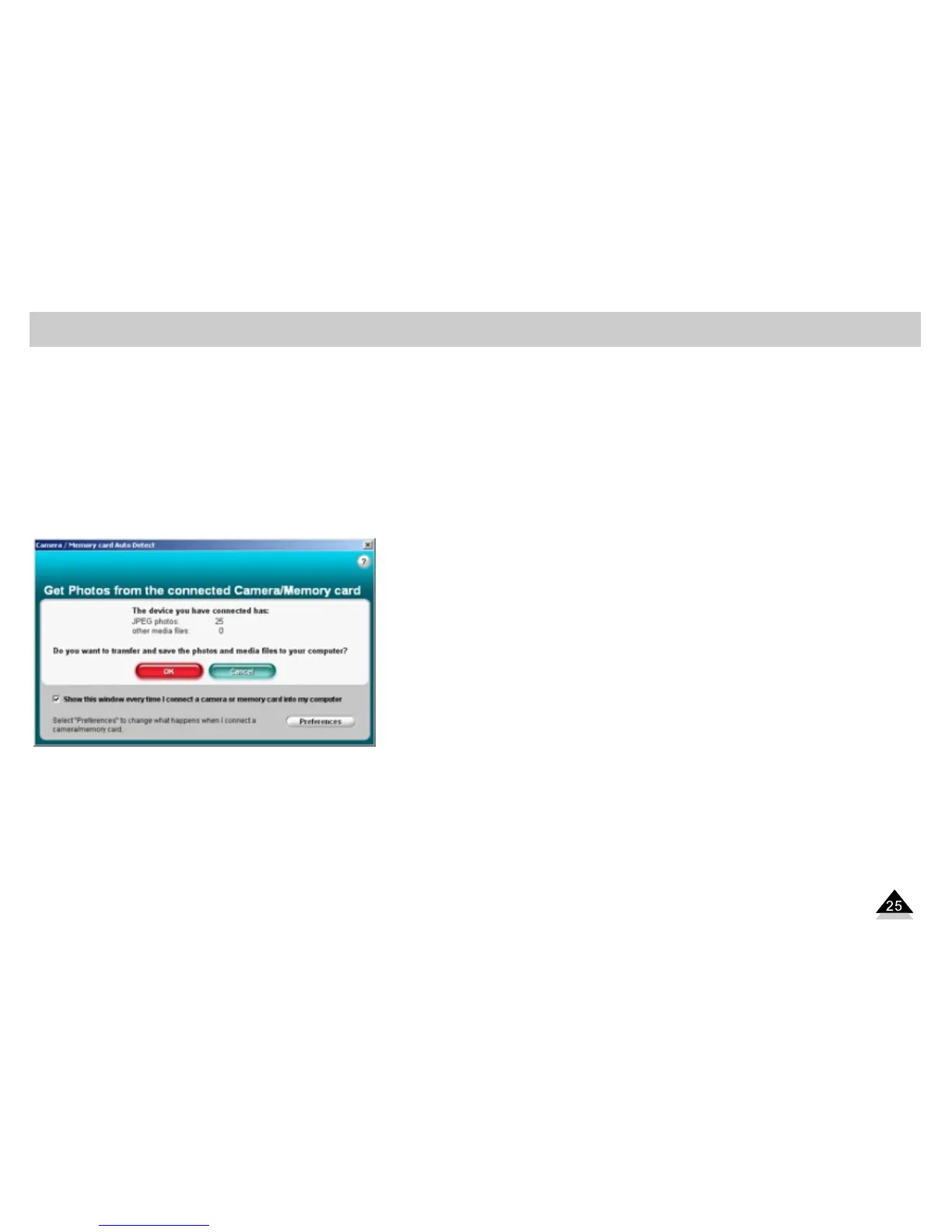
4. The “Camera/Removable Media Auto Detect” window will automatically appear on your PC
screen.
5. The number of pictures and other media (videos included) on the camera or memory card will
appear on the window. Click “OK” if you want to transfer the photos and save them to your
computer.