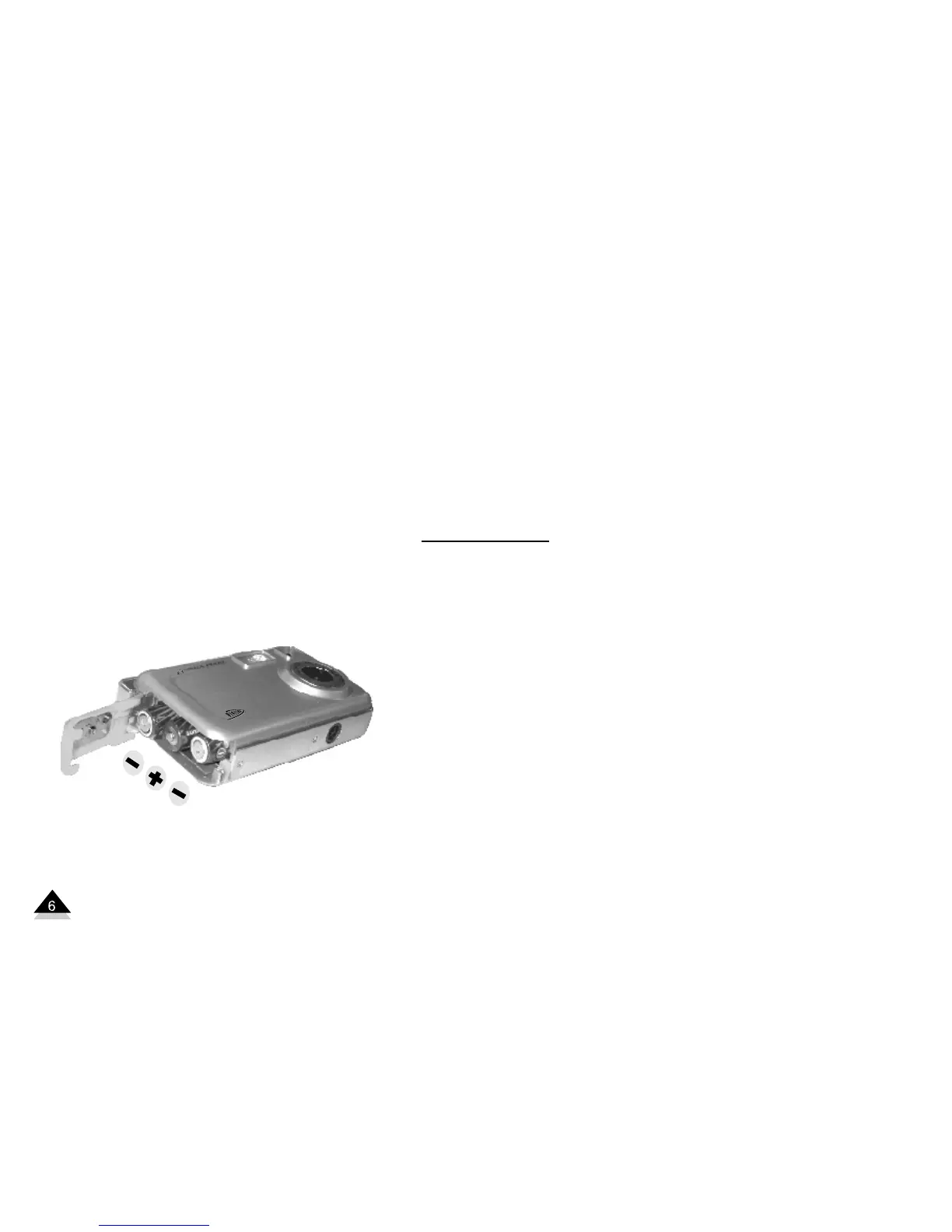
1. Slide cover to open
battery compartment.
2. Load three “AAA” batteries
according to the polarities
(+ and -) indicated on the
inside of the cover.
3. Close the cover.
Note: You cannot take photos when
the camera is connected to a computer.
We recommend using an SD memory
card. Photos stored on the card will not
be lost if there is a loss of battery power.
Warning:
1.To avoid losing your photos due to loss
of battery power, DO NOT open the battery
compartment before downloading your
photos.
2. Please download photos to your
computer as often as possible.
3. If the camera remains idle for long
periods of time, please download your
pictures and then remove the batteries to
avoid battery leakage or corrosion.


 To Next Page