5
Note
A memory card that has previously been used in
another device may have to be formatted before it can
be used. Turn to Formatting a Memory Card in
section 3 for details.
Note
When a memory card is fitted, images and movie clips
are saved on the card rather than on the built-in
memory..
Protecting Data on an SD Card
Valuable data on an SD Card can be protected by preventing any new data being written onto
the same card. To do this:
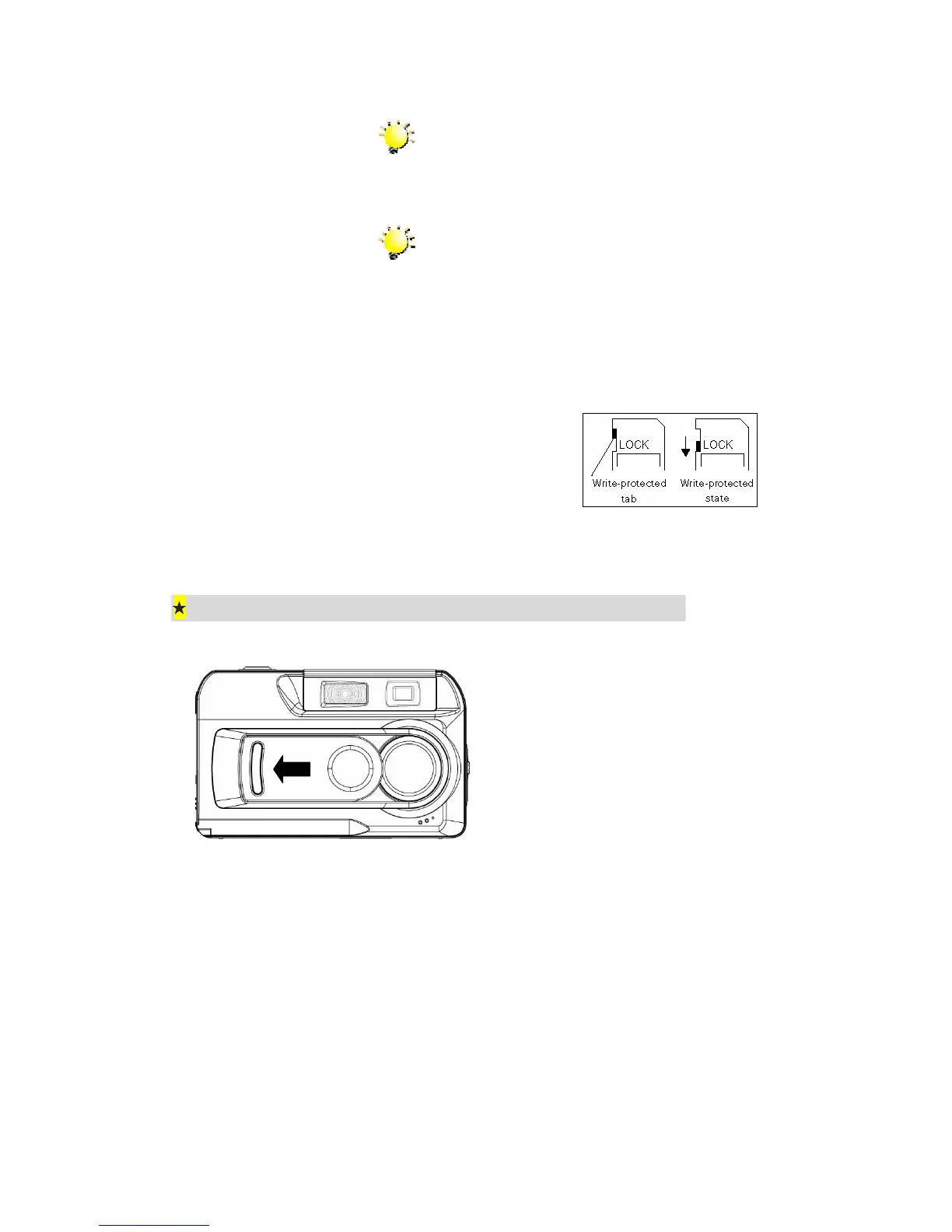
Slide the write-protected tab on
the side of the SD memory card
to LOCK.
Opening and Closing the Lens Cover
To open the lens cover, simply use a finger
to slide the cover across, as shown.
To close the lens cover, slide in the other
direction.



 To Next Page