11
Up Button
Enter Button
Right Button
Left Button
Down Button
Up Button
Enter Button
Right Button
Left Button
Down Button
Camera Mode Settings
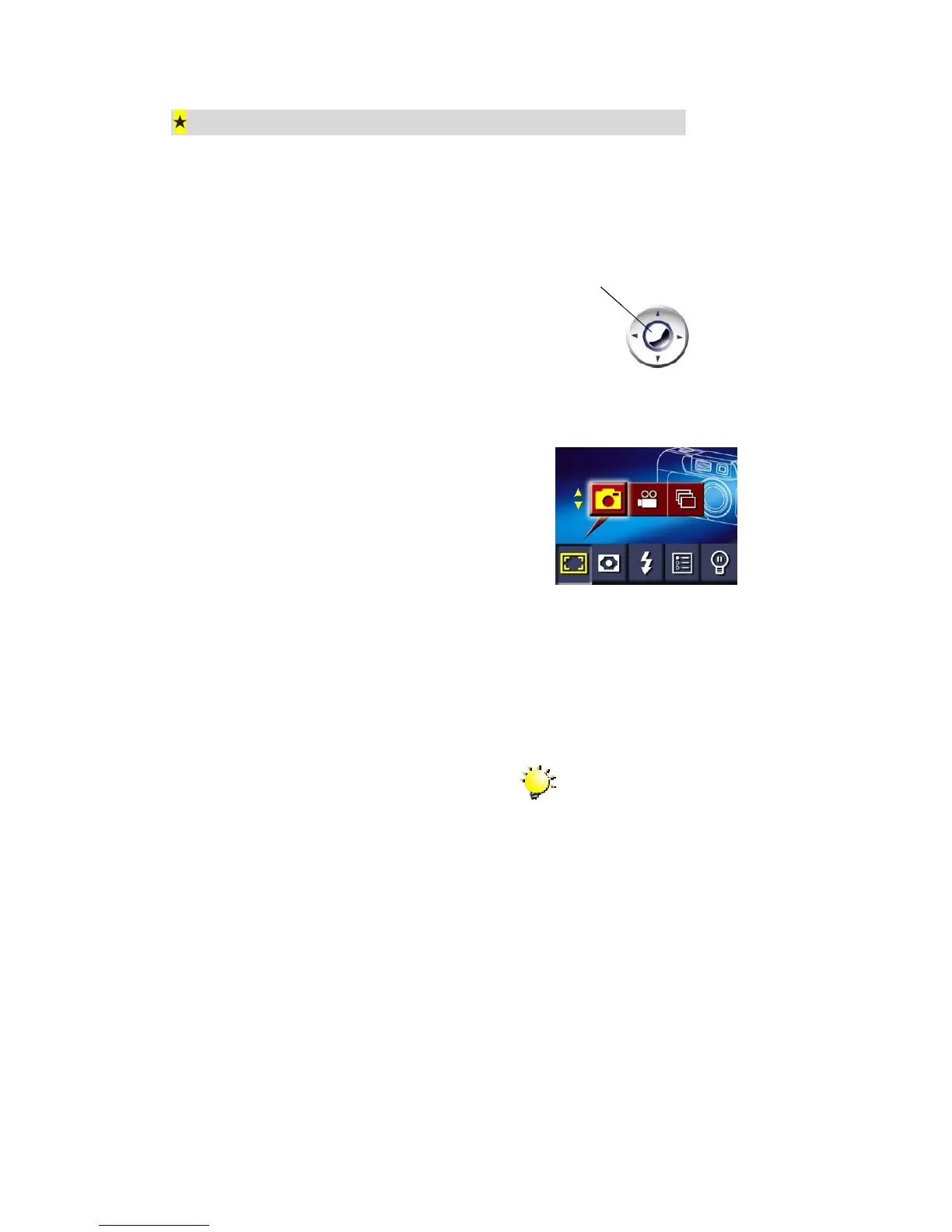
Camera Mode Settings are used to change shooting mode, resolution, flash setting, LCD
brightness and advanced settings. These settings are changed from the Camera Mode
Options Menu. To open this menu:
1. When in Camera Mode, press the enter
button.
2. The first screen of the Options Menu
appears with the Shooting Mode
submenu open and Single Photo
Mode.
3. Use the left and right direction buttons
to move between submenus.
4. Use the up and down direction buttons
to change selections within a
submenu.
5. When you have completed changing
the settings, press the enter button to
close the Options Menu.
Note
The Options menu will close
automatically if no button is
pressed for 15 seconds.



 To Next Page