IPEX5000 Series Quick Install Guide
9
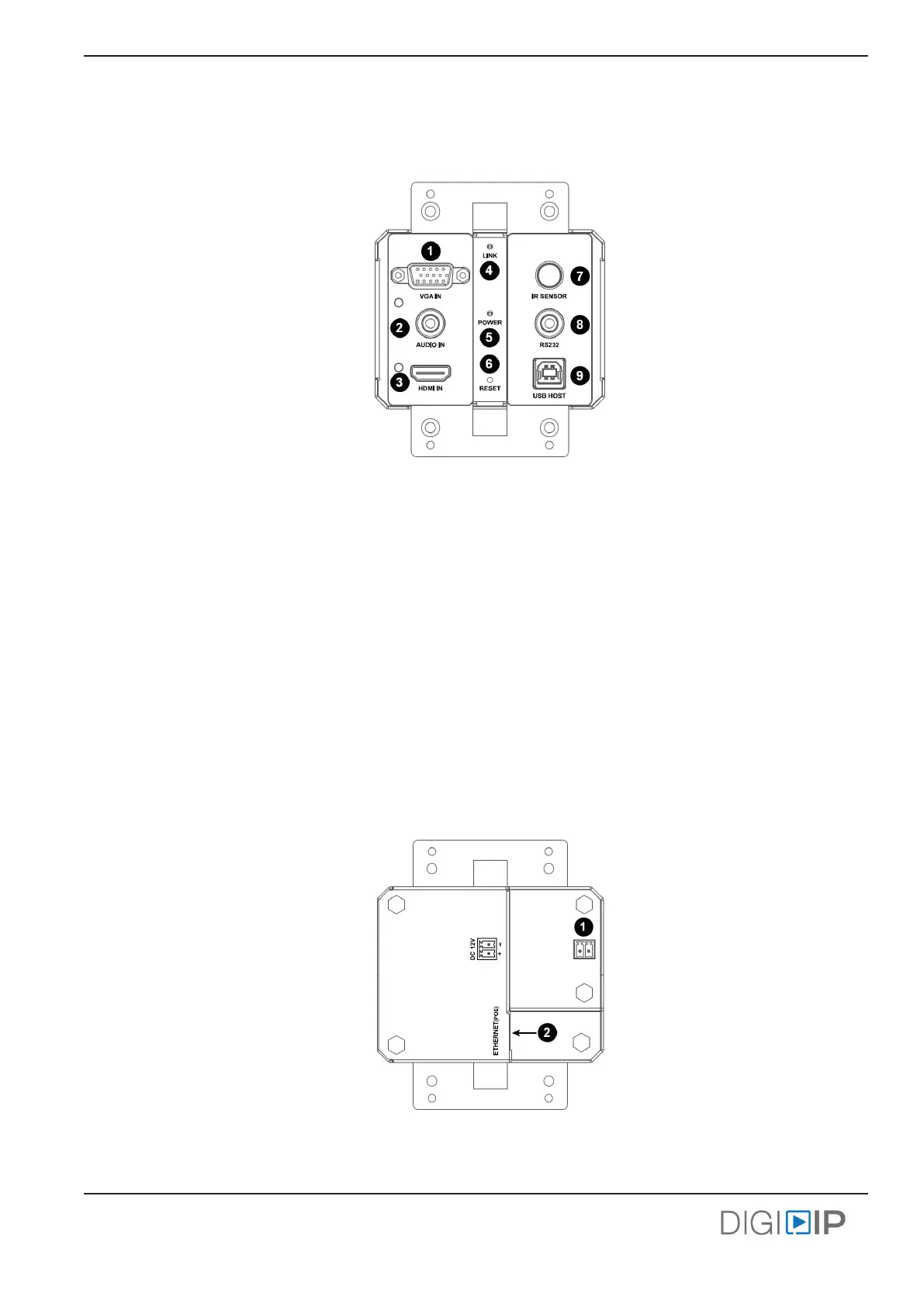
IPEX5001-WP-W Front Panel
1. VGA input port
2. Audio input port (embedded with VGA source)
3. HDMI input port
4. Link LED
• When SOLID: encoder is connected to connected to both an acve source and decoder
• When Blinking: encoder is disconnected from an acve source or decoder
• When OFF: encoder is powered o or network is down
5. Power LED
• When SOLID: device is powered on
• When OFF: encoder is powered o or network is down
6. Factory reset
7. IR receiver / sensor
8. RS232 control port
9. USB host port
1. DC12 DC power input
2. LAN connecon with PoE support
IPEX5001-WP-W Rear Panel



 To Next Page