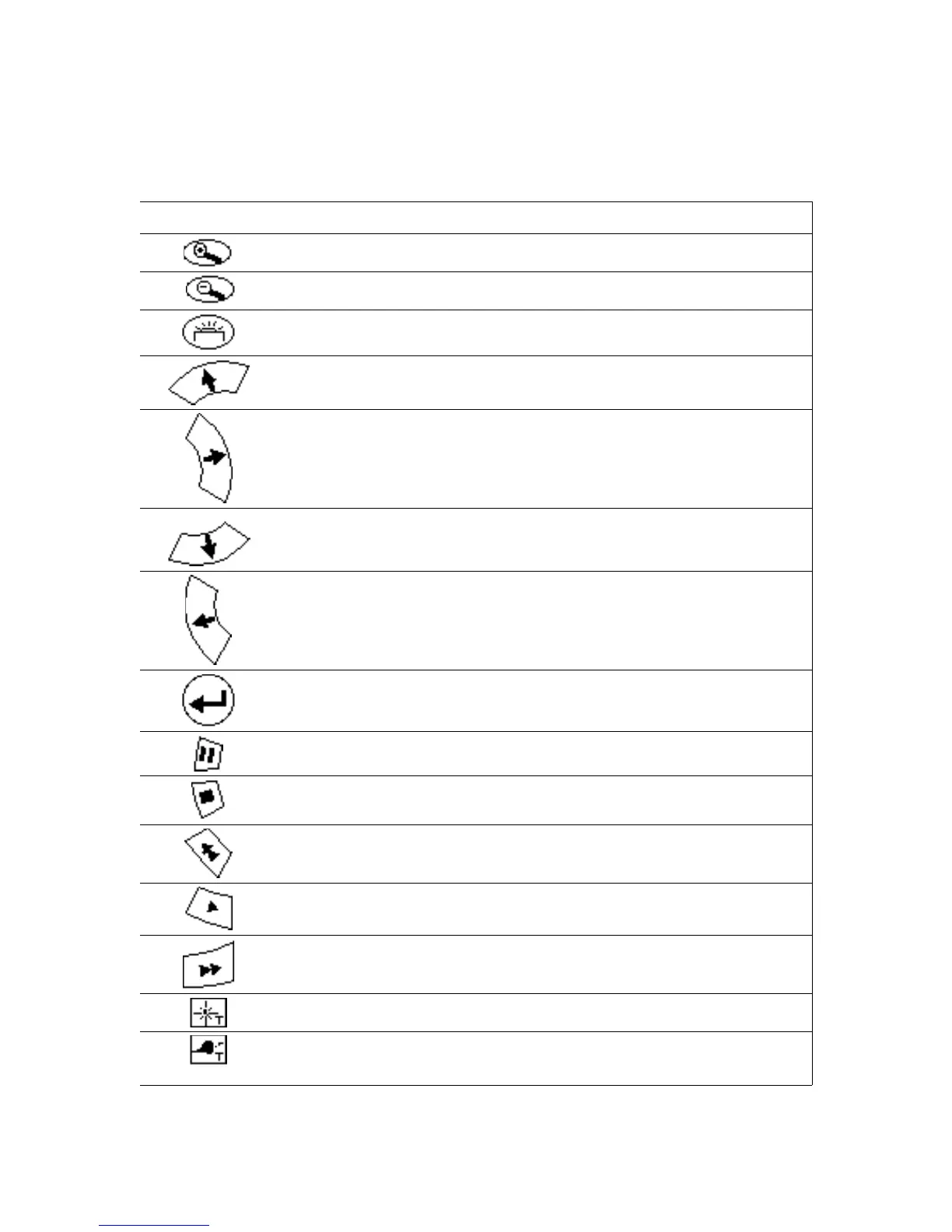
Normal Operating Mode
In normal operating mode, the buttons do what is shown by the icons on their
faces.
Button Normal Operating Mode Function
Zoom in on selected object.
Zoom out to sky.
Reserved.
Move pointer toward zenith.
Move pointer counterclockwise around the zenith.
Move pointer toward horizon.
Move pointer clockwise around the zenith.
Select an object.
Pause/continue movement of time.
Stop time.
Accelerate speed of time backward. Can be pressed multiple
times.
Move forward in real time.
Accelerate speed of time forward. Can be pressed multiple
times.
Turn on/off labels for bright stars.
Toggle between planet labels, planet labels with orbits, and no
labels or orbits. To show one planet orbit at a time, select a
Digitarium Alpha User Manual 10


 To Next Page