Symptom Possible Solution
No sound
when playing a
video.
1. Are you sure the video has an audio track?
2. Do you have speakers plugged in and turned on?
3. If you are playing a video DVD, press the button and
then exit media mode. If you are using a data CD or DVD, go
back to the directory view and hit the button. This will
reset the audio system.
4. If you play the video again, you should hear sound.
How to Get Help
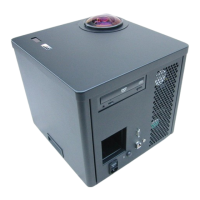
If you are experiencing problems with your Digitarium Alpha, please:
1. Reread the manual to make sure you haven't missed a possible solution.
2. Check out the online support section of our website, DigitalisEducation.com.
This is frequently updated with answers to common questions and issues.
3. Contact technical support via:
• e-mail: info@digitaliseducation.com
• phone: 360.616.8915
• fax: 360.616.8917
Product Specifications
Pixels per degree 4.2 (average)
Projection type DLP
Colors 16.7 million
Bulb life 2,000 hours
Dimensions 14 x 14.25 x 14.75 inches
Weight Projector is 42 pounds; transit case is
approximately 20 pounds.
AC input 100-240 VAC
50/60 Hz
5-2 A
Operating environment 32-90 degrees F (0-32 degrees C)
Humidity: non-condensing
Avoid use in dusty environments.
Digitarium Alpha User Manual 29


 To Next Page