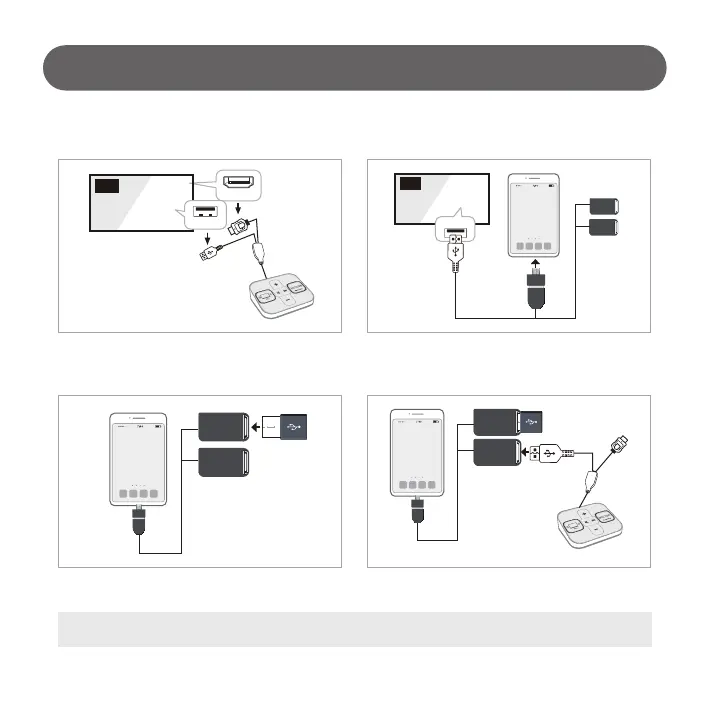
How to Update Contents (USB Updater)
1) Remove sound switcher’s complex cable from TV.
- 15 -
2. Connecting the Cable (Smartphone + Master USB + Sound Switcher)
2) Connect the “Update Tool” cable to the phone micro USB port.
Connect the “Update Tool” USB Cable to the TV USB Terminal.
(Power Supply)
4) Connect sound switcher “USB cable” to “Update Tool” or
another USB port.
3) Connect the Master USB to the Update Tool USB port.
TV
HDMI 1
USB
# The Update Tool cable can change its appearance, power connection and etc.
TV
USB



 To Next Page