TV Setting (’2021)
1) Setting SOUND OUT
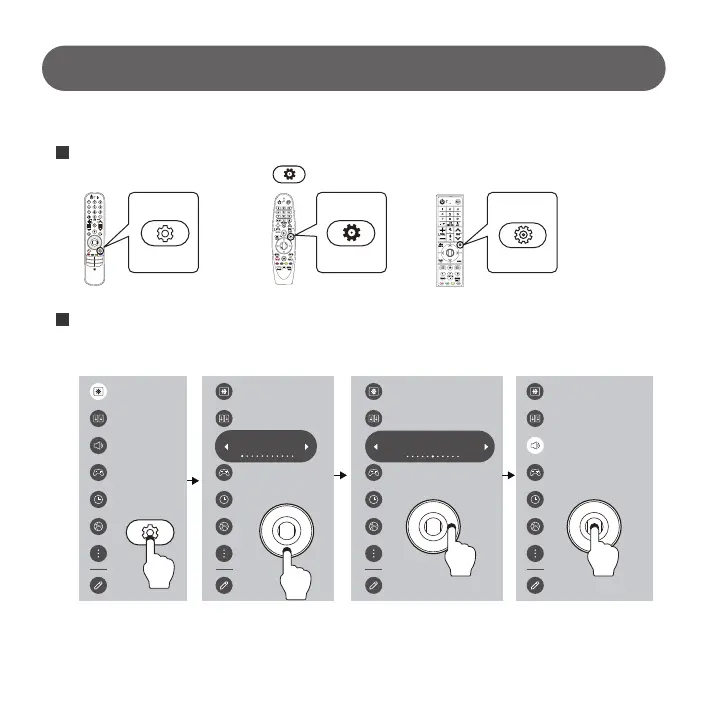
After activating menu by pressing (Setting) of TV remote control and select.
# Make sure the sound comes out correctly when the TV speaker and sound bar button on Sound Switcher are pushed by turns.
# If the sound does not come out normally even TV Speaker and Sound Bar button are switched well, check the
connection status between products again.
1
Select Sound → Sound Out (HDMI(ARC) Device)
Select “Demo Option” menu in setting.
2
Magic RemoteNew Remote General Remote
- 5 -
Sound Out
TV Speaker
HDR Picture Mode
Standard
Sound Out
HDMI(ARC) Device
Digital Sound Out : Auto, SIMPLINK (HDMI-CEC) : Set it “ON”
Make sure if sound comes out well from connected sound bar after set up.
Sound Out
HDMI(ARC) Device



 To Next Page