How to connect
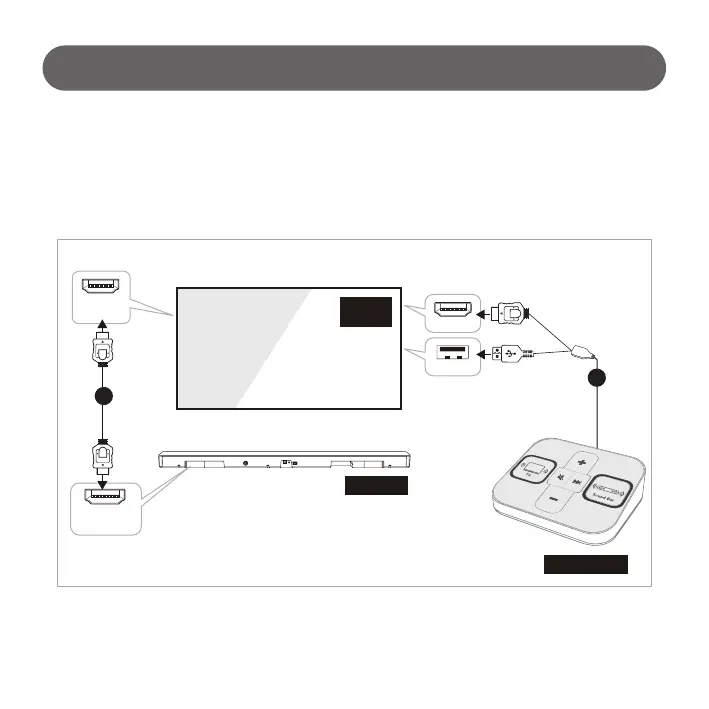
1) Connect Sound Switcher and TV
Connect USB port and HDMI port of TV by using Sound Switcher Complex Cable.
# Available to use immediately after connect complex cable to TV.
# APP in built-in USB will start automatically.
2) Connect TV and Sound Bar
Connect HDMI 2(ARC) of TV and HDMI output(TV ARC) of Sound Bar by using HDMI cable.
TV
HDMI 2
(ARC)
(TV ARC)
HDMI OUT
Sound Bar
HDMI 1
USB
Sound Switcher
1
2
- 9 -



 To Next Page