Update method : Download the app on smartphone and update the Sound Switcher
How to Update Contents (USB Updater)
- 14 -
1 2 3
APP installation Cable connection Update
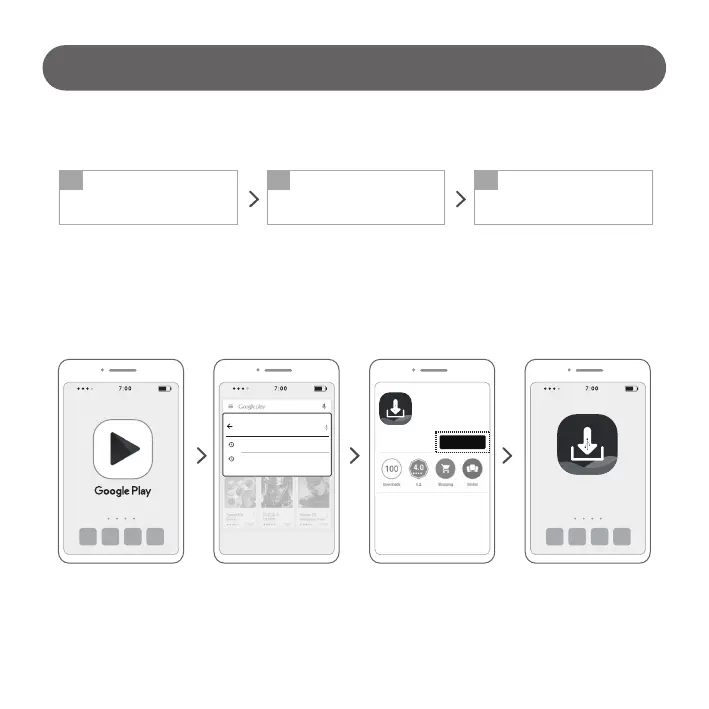
Install “LG Demo System Updater”
App in Google Play Store
Connect Master USB and Sound
Switcher to smartphone using
“Update Tool”
Update Master USB (new
contents) to Sound Switcher
1. Download the App from Play Store
LG Demo System Updater
google play services
adidas confirmed
LG Demo
System Updater
INSTALL
LG Demo
System Updater
1) Access the Google Play
Store App on your
smartphone.
2) Search with “LG Demo
System Updater”.
4) App installation complete.3) Install the “LG Demo System
Updater” App. (Press the
“INSTALL” button to install)



 To Next Page