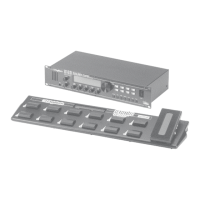
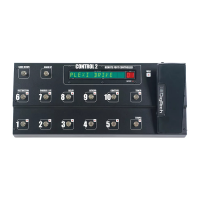
Using the Control 2 Remote Foot Controller
Modes
The Control 2 operates in one of two modes: 5 Patch Mode or 10 Patch
Mode.
5 Patch Mode
In 5 Patch Mode, the footswitches numbered 1-5 each select a preset (also
known as a “patch”) in the selected bank. There are 20 banks to select from
(you can change banks using the Bank Down/Bank Up footswitches). The
lit footswitch (1-5) indicates the current preset selected in the bank; only one
of the 1-5 footswitches can be lit at a given time. From the factory, 5 Patch
Mode is the default mode.
Also in 5 Patch Mode, Footswitches 6-9 each turn an effect on or off. You
can also configure the CONTROL Footswitch to turn an effect on or off, or
toggle a parameter between two values (for example, the Delay level can be
switched from 20 to 40 and back). Refer to page 9 for instructions on how to
configure The CONTROL Footswitch.
10 Patch Mode
In 10 Patch Mode, Footswitches 1-10 each select a preset in the selected
bank. There are 10 banks to select from. The lit footswitch indicates the
current preset selected in the bank; only one of the 1-10 footswitches can be
lit at any given time.
Switching Between 5 Patch and 10 Patch Modes
To change the mode, follow these steps:
From the GSP preset screen, press the Edit/Select knob once to enter
the menu navigation system.
Turn the Edit/Select knob until the Foot Controller menu is highlighted
and press the knob again.
In the Foot Controller menu, make sure Switch Mode is highlighted and
press the Edit/Select knob to select 5 Patch or 10 Patch mode.
Press the Back button to save this setting.
1.
2.
3.
4.
Using the Control 2 Remote Foot Controller
Control 2 Owner’s Manual


 To Next Page