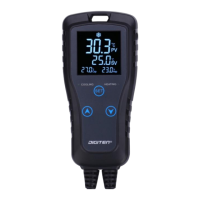
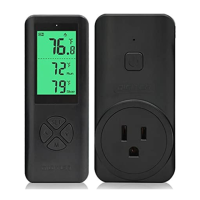
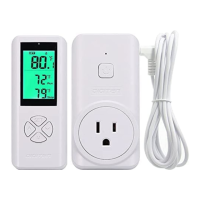
The DIGITEN Thermostat DTC-101/DTC-151 is a single-stage electronic temperature controller designed for a wide range of heating and cooling applications. It features a large, lighted LCD screen for easy reading of sensed temperature, setting temperature, and custom icons indicating the working mode. The device is housed in a fireproof ABS material case, engineered for user convenience. Its high-quality, high-accuracy temperature sensor is waterproof, making it suitable for use in various liquid environments including water, seawater, weak acid, or weak base liquids.
Function Description:
The thermostat operates in two main modes: Cooling and Heating.
- Cooling Mode: This mode is activated when the Run Temperature (RV) is set higher than the Stop Temperature (SV). When the measured temperature (PV) exceeds the RV, the cooling equipment starts, and the "RUN" LED illuminates. Cooling continues until the PV reaches the SV, at which point the equipment stops, and the "STOP" LED turns on. A flashing "RUN" LED indicates that the cooling equipment is in compressor delay protection mode.
- Heating Mode: This mode is activated when the RV is set lower than the SV. When the PV drops below the RV, the heating equipment starts, and the "RUN" LED illuminates. Heating continues until the PV reaches the SV, at which point the equipment stops, and the "STOP" LED turns on.
The thermostat also includes several protective and alarm functions:
- High/Low Temperature Alarm (AH/AL): If the measured temperature (PV) exceeds the High Temperature Alarm value (AH) or falls below the Low Temperature Alarm value (AL), a "bi-bi-Biii" buzzer alarm will sound, and the corresponding alarm icon will be displayed. Pressing any key will silence the alarm. To clear the alarm, the AH/AL value must be reset, or the PV must return to within the set limits.
- Time of Compressor Delay Starting (DP): In refrigeration mode, after power-on, if the PV is higher than or equal to the RV, the cooling equipment will not start immediately. Instead, it will wait for a user-defined delay time (DP) to protect the compressor's lifespan and prevent frequent starts. This delay also applies between two refrigeration operations if the interval is less than the preset delay time.
- Temperature Calibration (CA): This function allows users to correct any deviation between the current measured temperature and the actual temperature. The corrected temperature is calculated as: Temperature (before Calibration) + Corrected Value. The corrected value can be positive, negative, or zero.
- Display Unit Selection (CF): Users can choose to display temperature values in either Fahrenheit or Centigrade, according to their preference. The default setting is Centigrade.
- LCD Backlight Control: The LCD backlight can be toggled on or off. Pressing the Up arrow and SET buttons simultaneously for about 3 seconds will turn off the backlight after 30 seconds if the symbol disappears. Repeating this action until the symbol appears will keep the LCD backlight on continuously.
Important Technical Specifications:
| Specification | Value

 Need help?
 General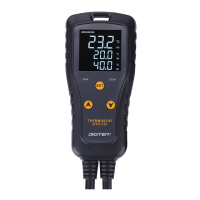

 To Next Page