6
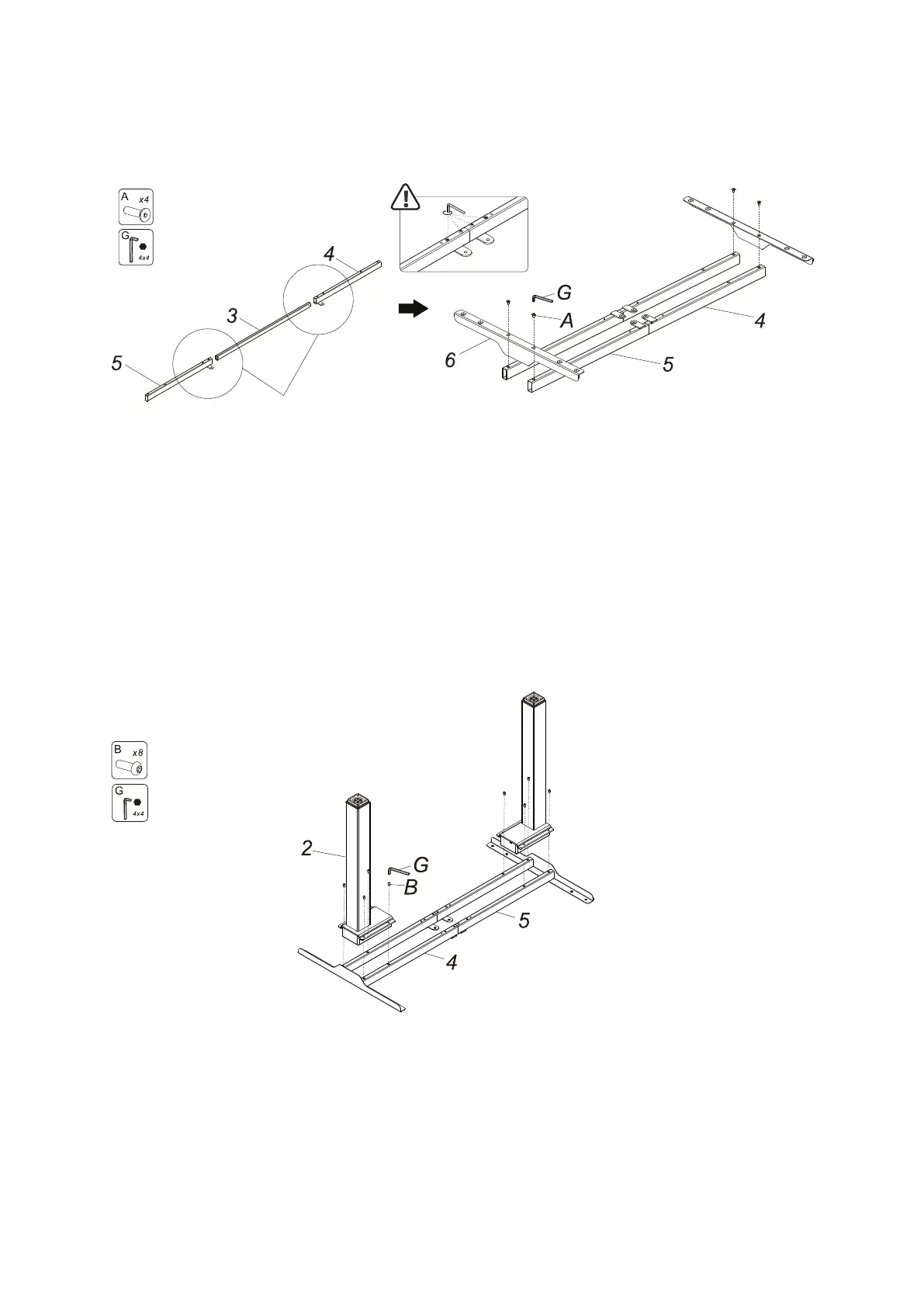
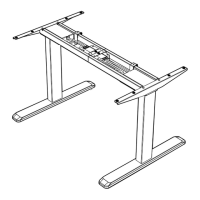
Step 1: Install the supporting beam and the side bracket:
Tighten it
• If the connecting rod cannot be inserted into the supporting beam, please
loosen the screws on the beam
• Using screws (A) to connect to the connection rod (3) with the left
supporting beam (4) and the right supporting beam (5), and tighten them
with the allen key (G)
• Using screws (A) to connect the side bracket (6) with the left supporting
beam, (4) and right supporting beam (5), and tighten with the allen key (G)
Step 2: Install the lifting column:
• Using screws (B) to connect the lifting column (2) with the left supporting
beam (4) and the right supporting beam (5), and tighten them with the allen
key (G)



 To Next Page