15
Getting Ready
3
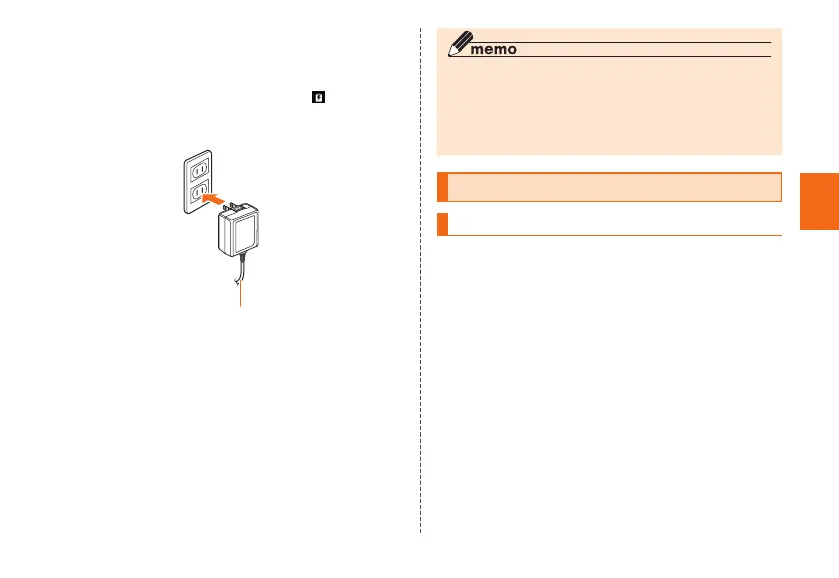
Connect the power plug of Common AC
Adapter 05 to an outlet (100V - 240V AC)
Check that the charging light on the product lights in
red. When the battery power turns on, "
" appears on
the status bar.
When charging ends, the charging light turns off.
Common AC Adapter 05
(sold separately)
4
When charging is complete, pull out the
microUSB plug of Common AC Adapter 05
(sold separately) straight from the external
connection terminal
5
Close the external connection terminal cover
6
Connect the power plug of Common AC
Adapter 05 (sold separately) to an outlet
◎ Note that applying unnecessary force with the external
connection terminal connected to the external device
might cause damage.
◎ When charging starts with the battery empty, the charging
light may not light immediately. But charging has started.
Turning the power on/off
Turning the power on
1
Press and hold F (Power button) until the
charging light turns on
The start screen appears (▶P. 16).
• For the first time the product turns ON, the initial
settings such as "au Easy Setting" activate. Make the
settings as required.



 To Next Page