17
Basic Operation
Basic Operation
Using Home screen
When you purchase the product, home app
on Home screen
is set to "Standard home". Also, home app can be switched
(▶P. 18).
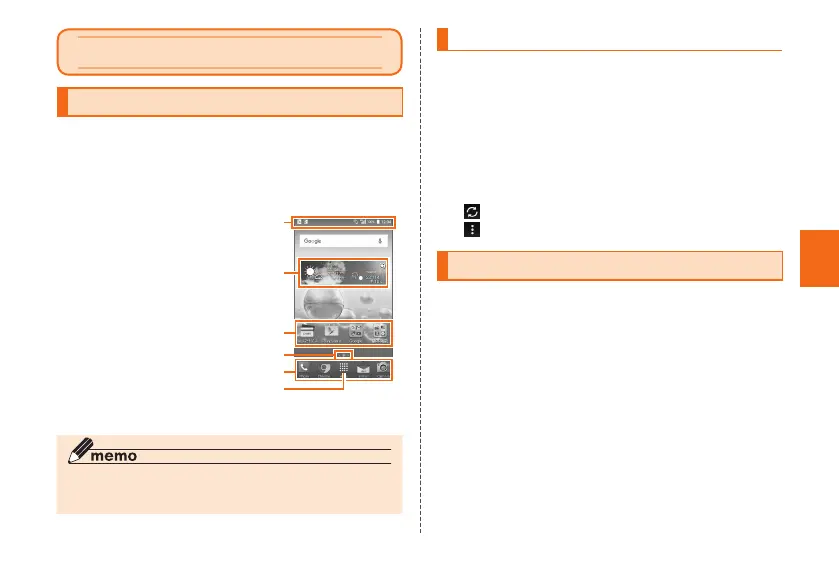
The Home screen of Standard home consists of multiple
screens. Slide/flick right or left to switch them.
① Status bar
② Weather widget
③ Shortcuts/Folders
④ Indicator
⑤ Quick launch area
⑥ Apps list
《
Home screen
◎ In this manual, the operations on Home screen of
"Standard home" is provided as examples.
Using Weather widget
Check weather information.
1
Home screen → Tap Weather widget
Weather information screen appears.
• The area selection screen is displayed by default.
Tap "Current location" or [+] to set area.
2
Check the details of the weather on Weather
information screen
: Update weather information.
: Set area or auto update.
Using the Apps list
A list of installed apps is displayed.
1
Home screen → [Apps]
The Apps list appears.
Basic Operation



 To Next Page