5
■ Description of operations for selecting
item/icon/button etc.
Notations used for operation procedures in this manual are
as follows.
Tapping is to select a button or icon displayed on the
screen by lightly tapping it with your finger.
Description Explanation
Home screen→
[Phone]→
[1] [4] [1]→[CALL]
Tap " (Phone)" at the bottom of
the Home screen. And tap "
",
"
", " ", then tap " (CALL)"
at the end.
In sleep mode,
F (Power button)
In sleep mode, press F (Power
button)
■
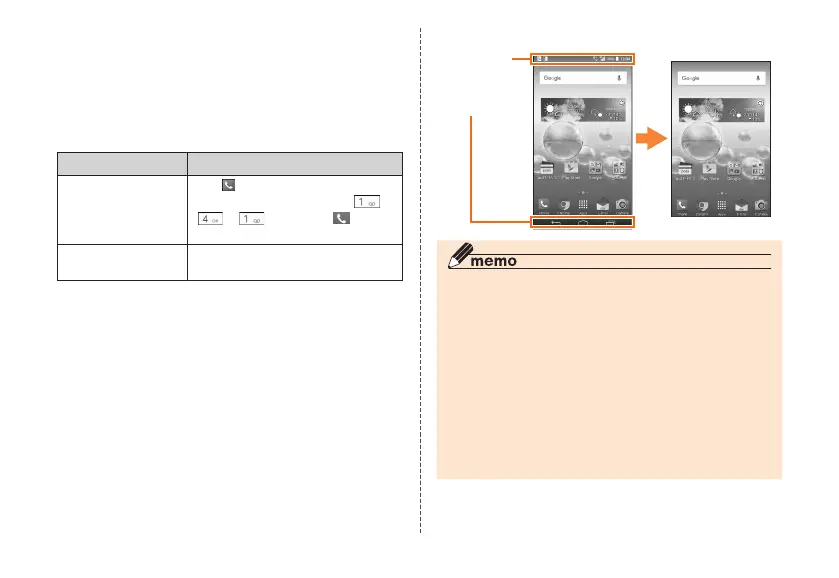
Notes on illustrations/screenshots
Screen illustrations shown in this manual may look different
from the actual screens.
In some cases, minor details or a part of a screen may be
omitted.
Some icons
etc. are
omitted in
this manual.
Notations used
in this manual
Actual screen
◎ Operations from the vertical display are mainly described.
Menu items/icons/buttons on a screen may be different
from the ones in the horizontal display.
◎ Menu items/layers/icons may be different depending on
functions, conditions, etc.
◎ In this manual, screenshots for body color "CORAL PINK"
are provided as examples.
◎ In this manual, "microSD™ memory card", "microSDHC™
memory card" and "microSDXC™ memory card" are
abbreviated as "microSD memory card" or "microSD".
◎ All of the indicated amounts exclude tax unless otherwise
specified.



 To Next Page