8
actually it is the same thing when we describe ‘the Power button’, ‘the Measure button’
and ‘the Set button’ in subsequent instructions.
5.1 Take your forehead temperature
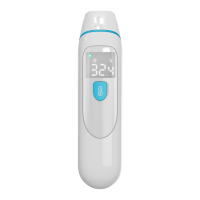
Press the Power button to power on.
Keep the probe cover touch the middle of your forehead, then press and release the
button. About 1 second later, beep will be heard, at that time you can get the readings.
In Forehead Mode, the symbol shows on screen.
Fig. 7
Note: The forehead measurement is an indicative reading. The measured forehead
temperature can fluctuate up to 0.5℃/1℉from your actual body temperature. Please be
aware of the factors that influence the accuracy as described in the sections of
‘Temperature taking tips’ and ‘Warnings and Precautions’.
In order to improve the accuracy, please make sure your forehead is not covered
by hair, sweat or dirt.
Make sure the probe sensor is clean before using the thermometer.
Before using the thermometer, ensure that both the user and the thermometer
remain in the same room with stable airflow and room temperature is between10.0℃


 To Next Page