9
/50.0℉ and 40.0℃/104.0℉for at least 30 minutes.
5.2 Take your ear temperature
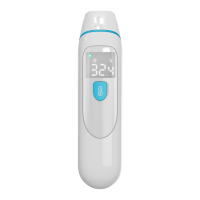
Press the Power button to power on.
Take off the probe cover, fit the probe snuggly into the ear canal. Press and release
the button, about 1 minutes later, beep will be heard, at that time you can get the
readings. In Ear Mode,The symbol shows on screen.
Fig. 8
Please make sure that your ear is clean, without earwax or obstructions.
The temperature is slightly difference between left ear and right ear. So please do
not to compare the readings of left ear and right ear directly and keep the same ear to
measure the temperature each time.
Do not force the thermometer probe into the ear canal. Otherwise, the ear canal may
get hurt.
Be careful when taking ear temperature on a child, whose ear canal is small.
When taking the ear temperature for a child aged over 1 year or an adult, gently pull
the ear up and back to make the ear canal become straight, so that the probe can receive
an infrared ray from the eardrum.


 To Next Page