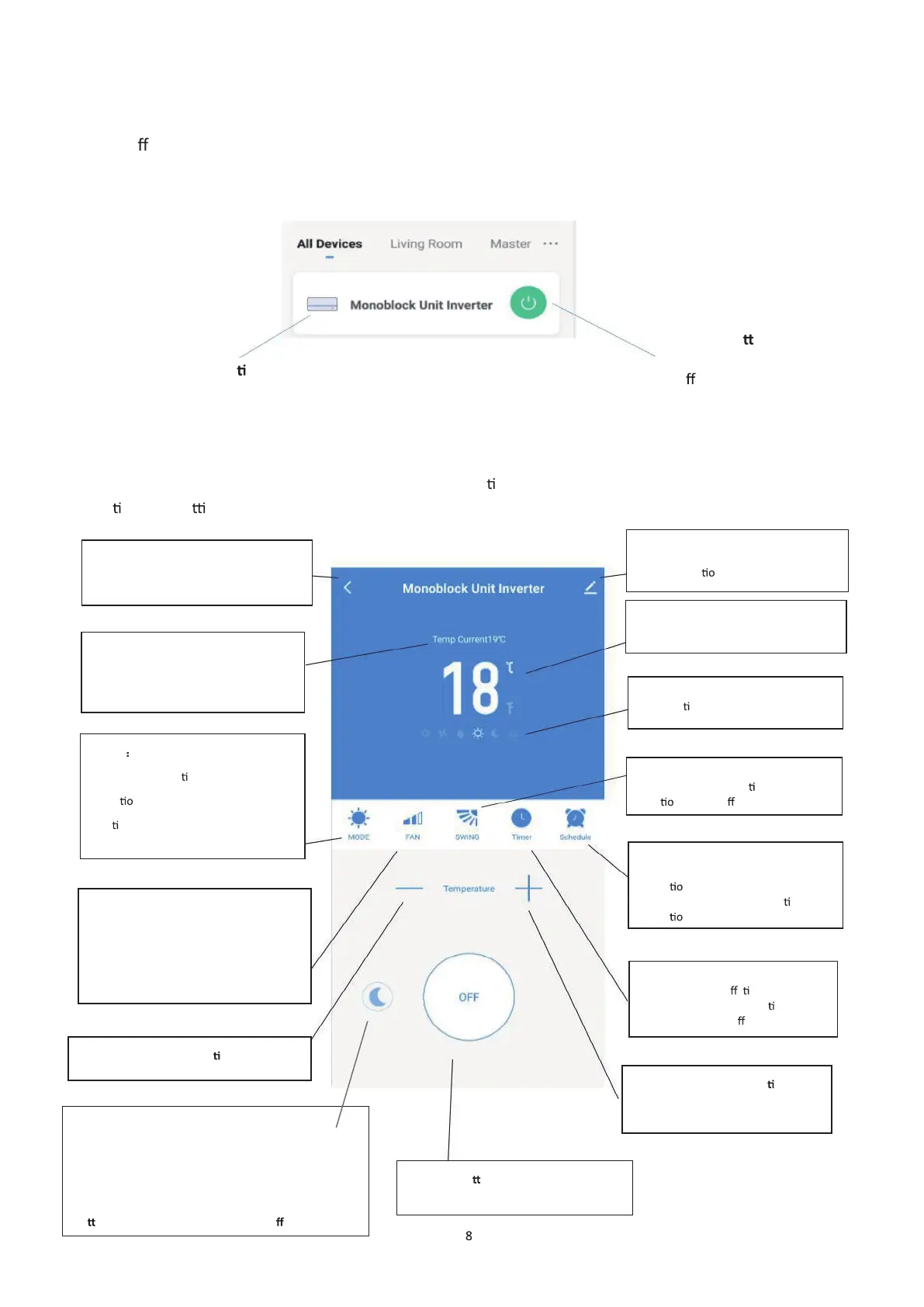
Each device has its own entry on the home screen to allow the user to either quickly turn the unit
on or o
, or to enter the device screen to make other changes.
DEVICE SCREEN
DEVICE SCREEN
The device screen is the main control screen for the air condi oner, providing access to the controls to amend the
func
ons and se ngs.
Name of Air Condi oner:
Click to enter the Device Screen.
Click to quickly turn on
or o
the device.
Back:
Returns to the Home Screen
Current Room Temperature: Displays
the current room temperature.
MODE
Change the opera
ng mode of the air
condi ner between Cooling ,
Hea
ng ,Dehumidify and Fan.
SPEED:
Use to change the Fan speed between
Low, Medium and High. Note this cannot
be changed in dehumidify mode.
Desired Temperature and mer decreasing
ON / OFF Bu on: Switch ON/OFF device
Edit Name: Use to change the name of
the air condi
ner.
Desired Room Temperature: Displays
the desired room temperature.
Current Mode: Shows the mode the
air condi oner is currently in.
Use to turn the oscilla ng swing
Use to add a set a scheduled
opera
n . A number of these can be
combined to specify automa
c
Use to add an o mer while the
unit is running , or an on
mer while
the unit is turned o
Desired Temperature and mer
increasing
SILENT:
Use to set SILENT mode, the speed of upper and lower
fans will be set to LOW speed. In SILENT mode
temperature and speed cannot be changed, press the
bu on again will switch SILENT mode o .
1


 To Next Page