CS1205
8
If unit was operating prior to servicing allow at least 10 minutes for light bulbs and
heating element to cool off to avoid accidental burning of skin.
Disconnect power before attempting any maintenance or cleaning to reduce the risk of
electric shock or damage to persons.
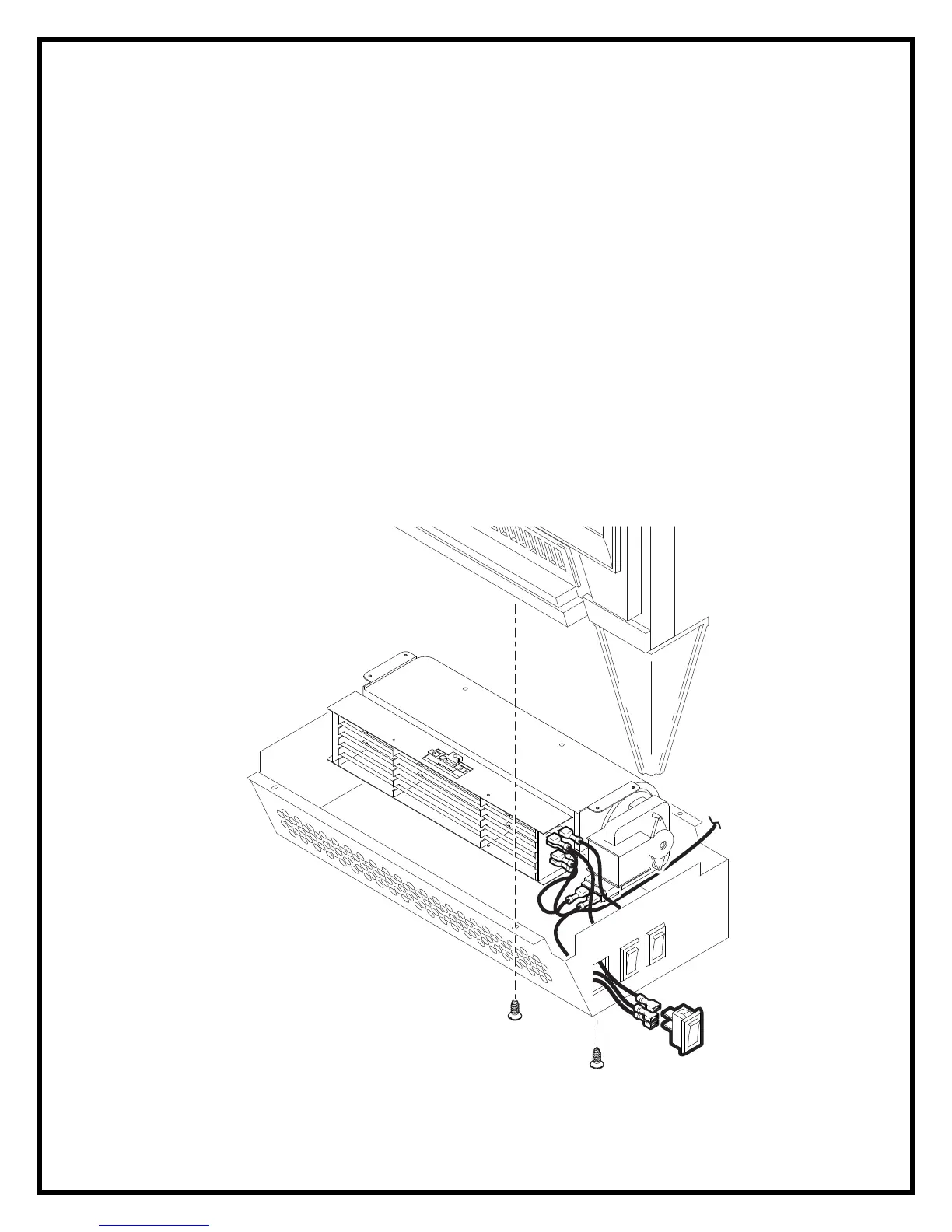
TO REPLACE ON/OFF AND HEATER SWITCHES
1. Turn the stove over and place it top down.
2. Remove the bottom heater assembly cover being careful not to damage any of
the wiring.
3. Remove the 4 heater retaining screws from the bottom of the heater assembly
cover and move the heater to gain access to the switch connections.
4. Locate the switch to be replaced mounted on heater assembly cover and
disconnect the wiring clips and connections noting their original locations.
5. Depress the retainer clips on the rear of the switch and push the switch out of the
rear of the cover.




 To Next Page