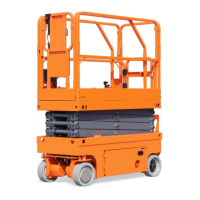
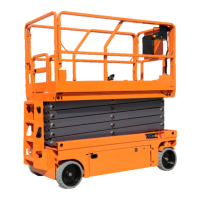
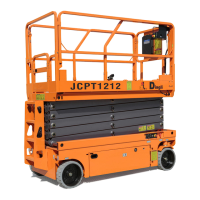
OPERATOR’S MANUAL with Maintenance Information
Control Panel
19
Platform Control Panel
1 Red Emergency Stop button
Push in the red Emergency Stop button to
the off position to stop all functions. Pull
out the red Emergency Stop button to the
on position to operate the machine.
2 Drive function select button
Press this button to activate the drive
function.
3 Generator select button (if equipped)
Press this button to turn the generator on.
Indicator light will be on. Press the button
again to turn the generator off.
4 Engine high speed idle select button
Press this button to select the engine idle
setting. Light on indicates high idle is
selected.
5 Horn button
Press this button and the horn will sound.
Release the button and the horn will stop.
6 Light(if equipped)
Press this button to activate the light
7 Outrigger function enable button
Press this button to activate the individual
outrigger up/down function.
8 Outrigger auto level button
Press this button to activate the auto level
function.
9 Engine glow plug button
Press and hold this button to preheat
engine.
10 LED readout screen
Diagnostic readout.
11 Engine start button
Press this button to start the engine.
12 Engine lower speed idle select button
Press this button to select the engine idle
setting. Light on indicates lower idle is
selected.
13 Lift function select button
Press this button to activate the lift
function.
14 Proportional control handle
Lift function: Press and hold the function
enable switch to enable the lift function on
the platform control handle. Move the
control handle in the direction indicated by
the blue arrow and the platform will raise.
Move the control handle in the direction
indicated by the yellow arrow and the
platform will lower. The descent alarm
should sound while the platform is
lowering.
Drive function: Press and hold the
function enable switch to enable the drive
function on the platform control handle.
Move the control handle in the direction
indicated by the blue arrow on the control
panel and the machine will move in the
direction that the blue arrow points. Move
the control handle in the direction
indicated by the yellow arrow on the
control panel and the machine will move
in the direction that the yellow arrow
points.
Outrigger extendable / retractable function:
Press and hold the function enable switch
to enable the Outrigger extend/ retract
function on the platform control handle.
Move the control handle in the direction
indicated by the yellow arrow and the
outrigger will extend. Move the control
handle in the direction indicated by the
blue arrow and the outrigger will retract.
15 Thumb rocker switch
Press the thumb rocker switch in either
direction to activate steer function.


 To Next Page
 Loading...