Assembling the IP Phone
3
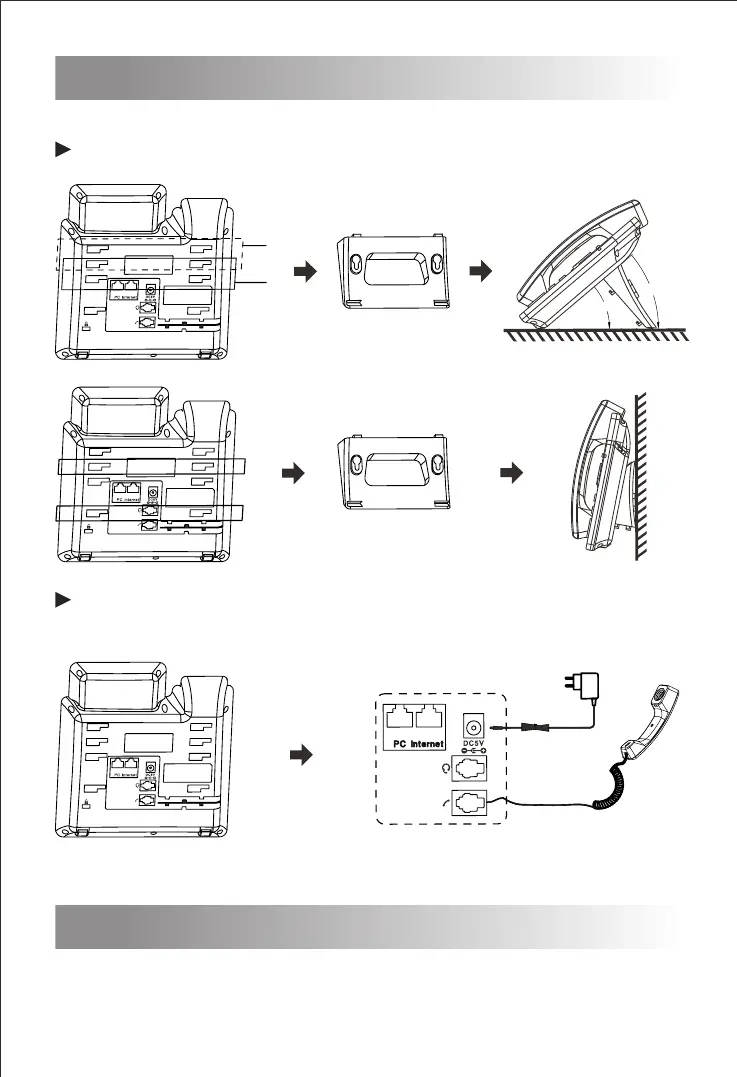
Attach the stand to the IP Phone, as shown below:
Note: PC connection and extension connection are optional.
A
B
A
B
Connect the handle, headset, PC and power supply as shown in
the figure below:
Startup
4
After the IP Phone is powered on and connected to network, it will start up
automatically. And then the IP Phone is ready for use. You can configure the
phone via the phone’s user interface or the web user interface.


 To Next Page