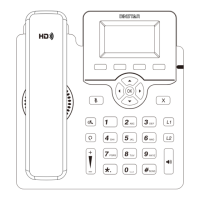
Basic Call Features
6
Place a call
Using the handset
(1) Pick up the handset.
(2) Enter the number and then press the Send soft key.
Using the speakerphone
(1) With the handset on-hook, press .
(2) Enter the number and then press the Send soft key.
Using the Headset
(1) With the headset connected, press to activate the headset mode.
(2) Enter the number and then press the Send soft key.
Answer a call
Using the handset
Pick up the handset.
Using the speakerphone
(1) Press .
Network Setting
Click Network Basic to configure the LAN port and the PC port.
If there is a need, click Network Advanced to configure the VLAN, VPN,
SNMP, TR069,LLDP, local RTP, QoS and 802.1x.
Account Setting
Click Account Basic to configure the basic information of an account. For
the explanation of the account parameters, please refer to Configure via the
user interface on the Phone.
If there is a need, click Account Advanced to configure the codec, DTMF,
call-related information and etc. for the account.
Note: During a call, you can alternate between the headset, hands-free
speakerphone and the handset mode by pressing the corresponding key or by
picking up the handset.
(2) Press .
Note: You can reject an incoming call by pressing the Reject soft key.
Using the headset
Enter the username (default: admin) and password (default: admin) in to
the login page and then click Login .
(3)


 To Next Page