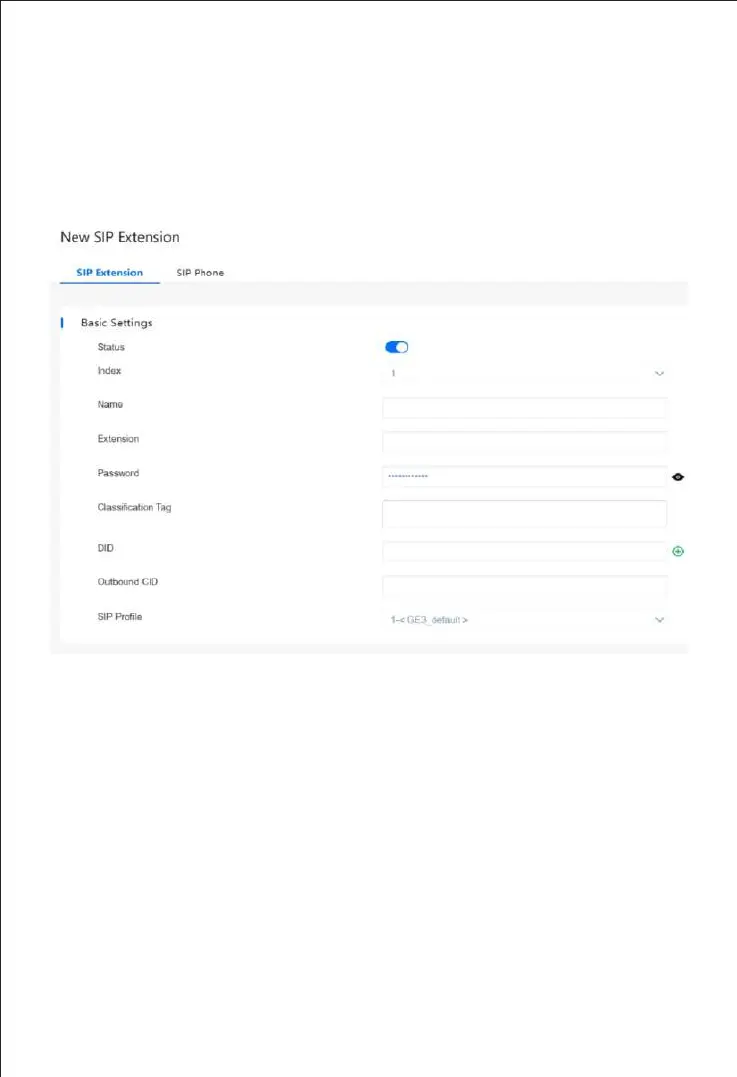
Create SIP Extensions
11
Click "Extension & Call Group->SIP Extension" to create the SIP extension:
add/delete/disable/enable, etc. UC350 Pro supports batch add or import account
files.
Note: when add the extension, the profile should be chosen as the corresponding
one.
After setting, you need to click "apply" to make the settings take effect.
The registration status of SIP extension can be checked on the "Extension & Call
Group->SIP Extension->Status" page.
If the status of a newly added SIP account is "registered", it means that the device
accepts the registration of the extension.
If the status of the SIP account is "unregistered", it means that the device rejects
to register the extension.



 To Next Page