Modify Network Configuration
10
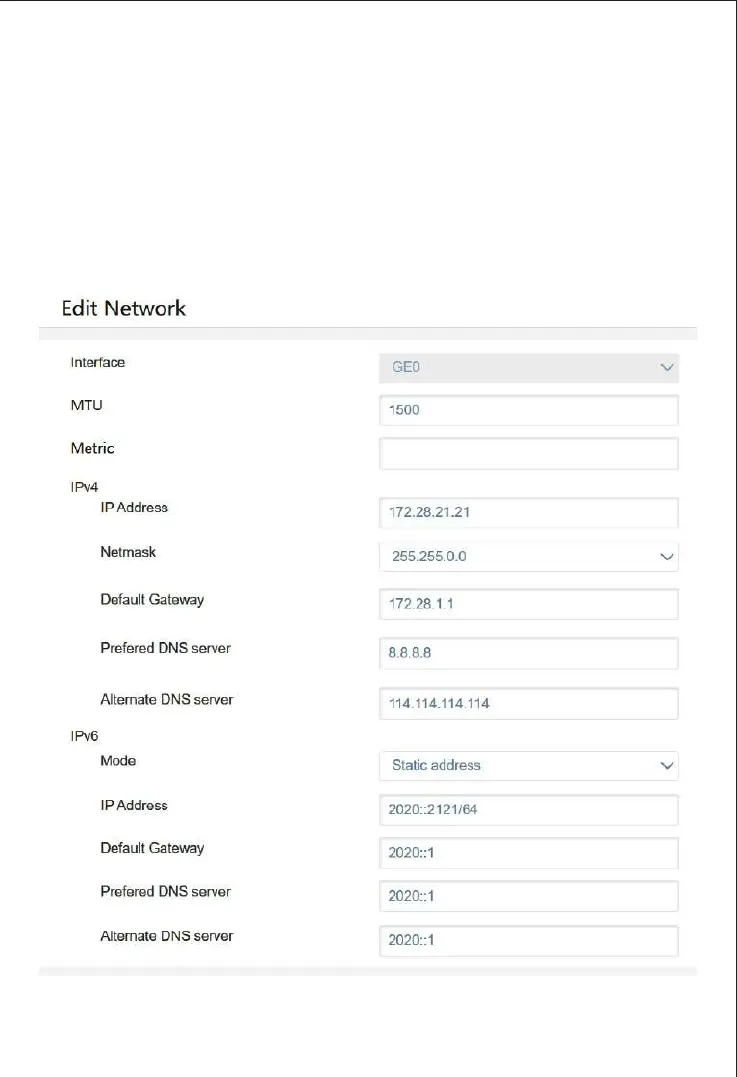
You need to modify the IP address of the network ports for service so that the ports
and the upstream network are in the same network segment.
Firstly, you need to physically connect the device’s network port for management.
Then log into the device by entering the IP address of the network port for
management in the web browser and click "System->Network" to configure the IP
address of the network ports for service. Click "Save" and "Reset" to make the
settings take effect.



 To Next Page