Modify PC’s IP Address
7
To log in to the Web Management System of the device, firstly, you need to modify
the IP address of the PC that is used to access the device and to make it at the same
network segment as the device’s network port of management.
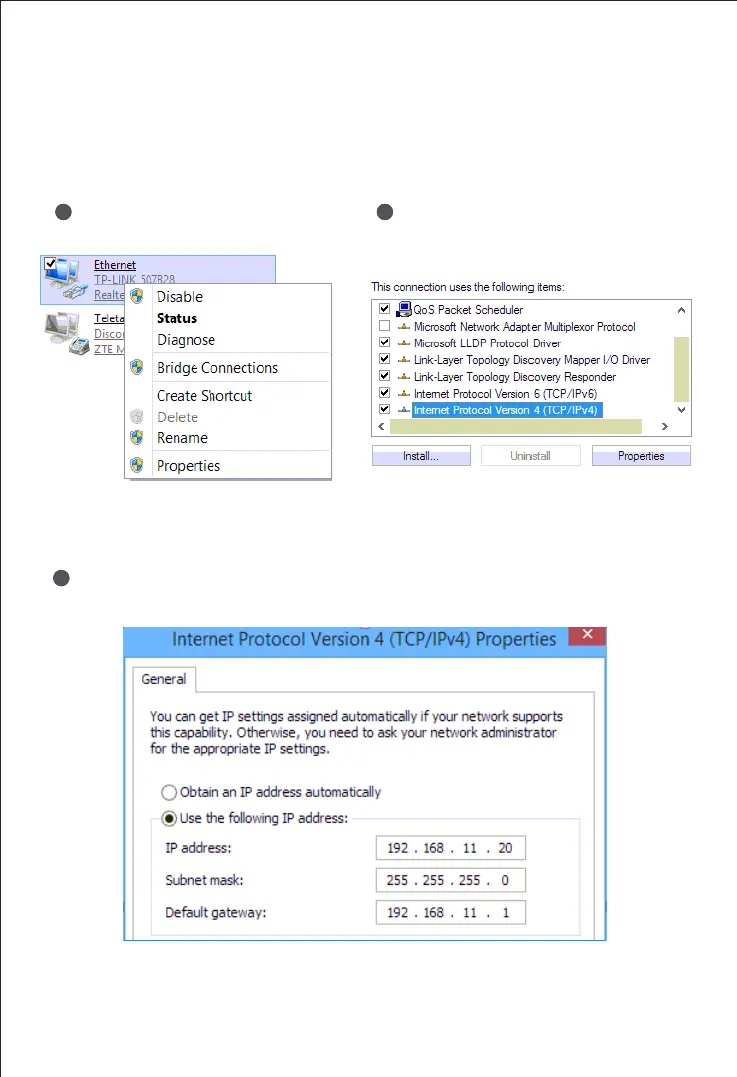
On the PC, click ‘Network (or Ethernet)
→ Properties’.
1
Double-click ‘Internet Protocol Version 4
(TCP/IPv4)’.
2
Select ‘Use the following IP address’, and then enter an available IP address
‘192.168.11.XXX’ which is at the same network segment with ‘192.168.11.1’.
3



 To Next Page