DIRECTV PLUS
®
DVR USER GUIDE
46
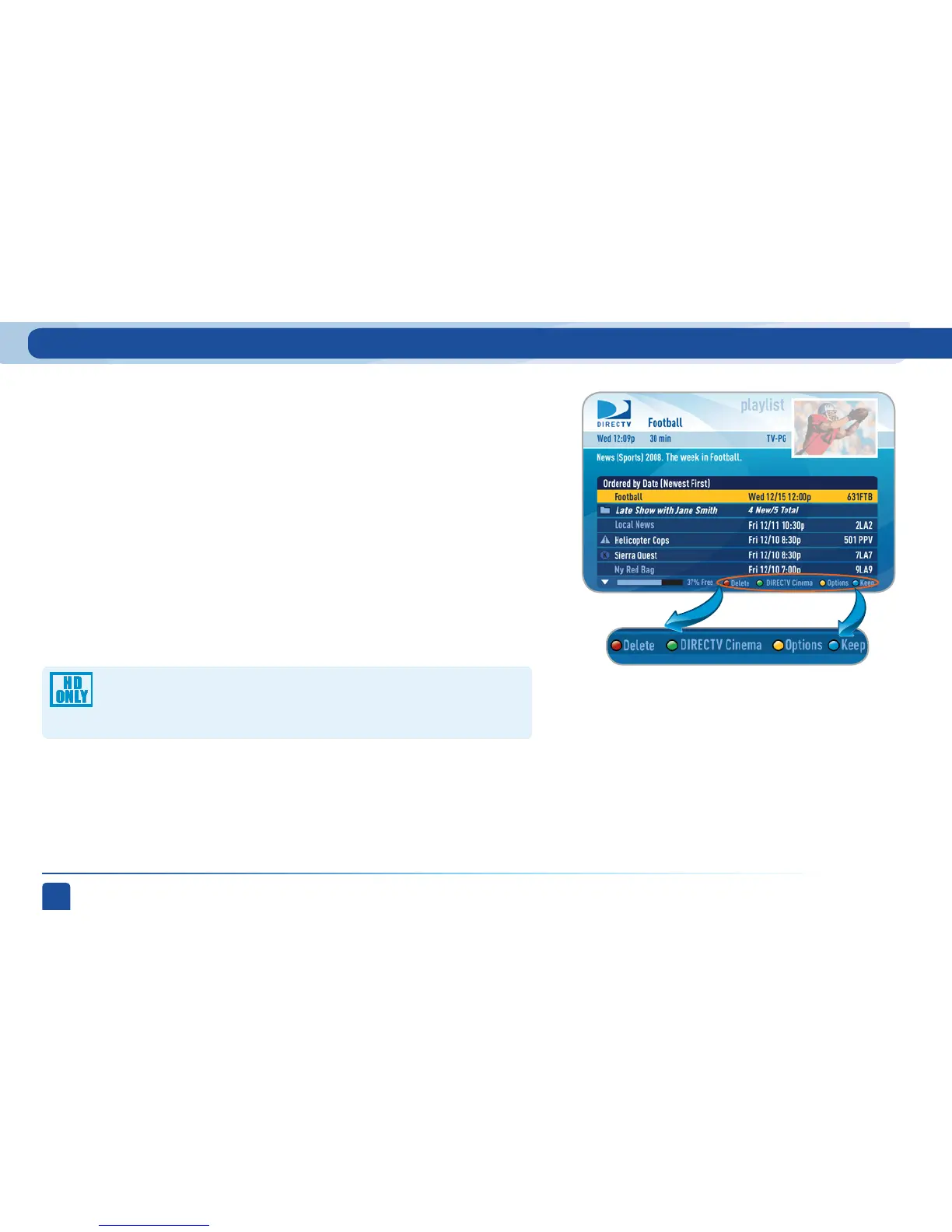
Highlight the show you want to keep and press the BLUE button on your
remote. A blue,circle K icon will appear next to the program title indicating
it will be kept until you delete it. You may be tempted to make all of your
recordings “Keep Until I Delete”, but if your hard drive ever fills up, new
recordings can’t take place.
Another way to manage your Playlist is to delete recordings you no longer
want.
Highlight a single show or a series (indicated by a folder icon) and press the
RED button to delete it. If you delete a folder, all episodes of that series will
be deleted. Don’t worry about pressing the RED button accidentally. You will
always see a confirmation message before you delete anything.
Press the GREEN button to go to the DIRECTV Cinema
™
on Demand home
page.
Note that HD programs take up more disc space than SD. Thus, you
may want to record your favorite content in HD, while recording other
shows in SD to optimize your use of the available recording capacity.
Keep
Delete
DIRECTV Cinema
™
on Demand
My Playlist



 To Next Page