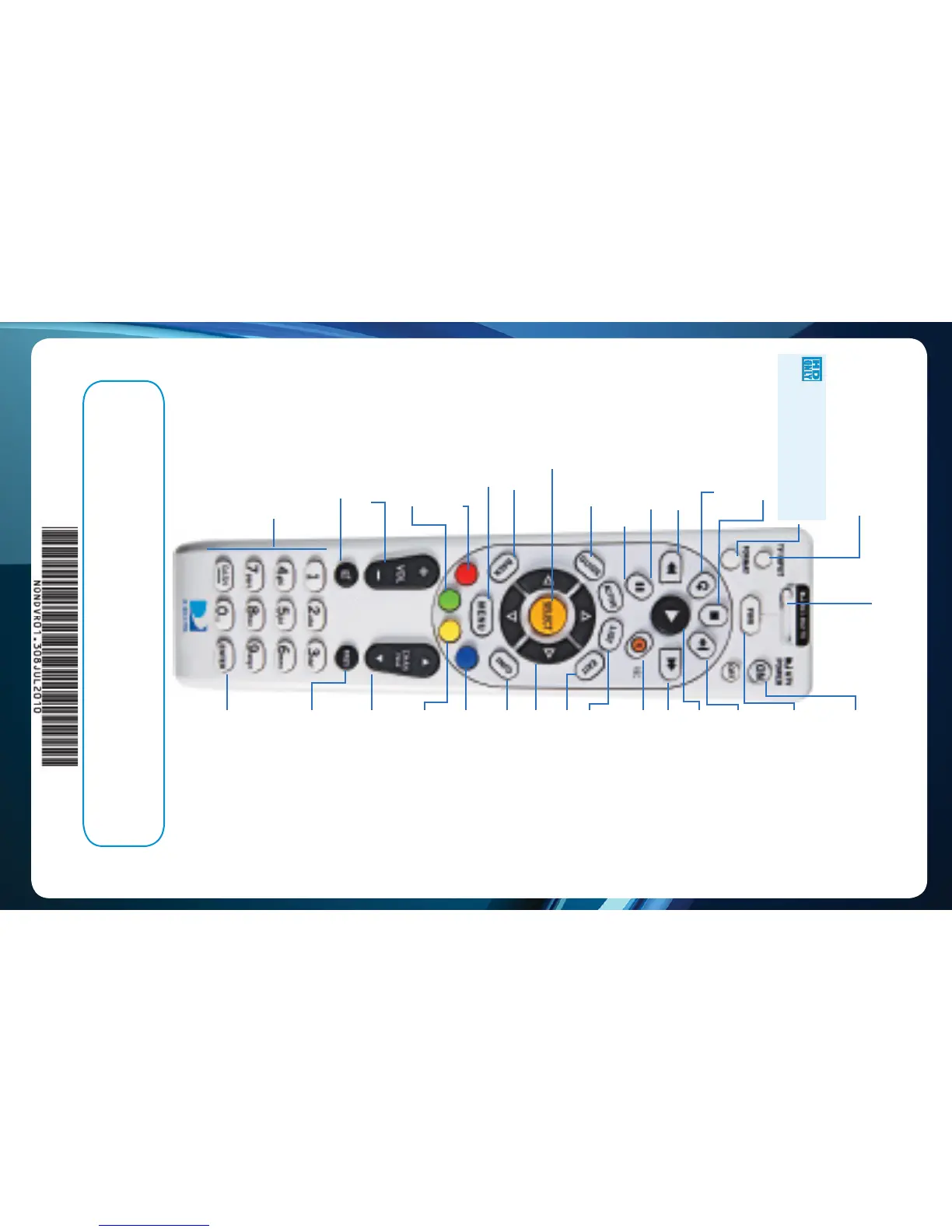
MODE SWITCH
Changes remote to control other
equipment, for example a DVD Player.
DIRECTV & TV POWER ON
Turns your DIRECTV
®
Receiver and TV on
and off at the same time.
Keys in orange text can be programmed to function with your VCR, DVD
player or other stand alone equipment.
* These descriptions apply to DIRECTV Digital Video Recorders. Other
equipment may behave differently.
TV INPUT Changes the “source”
- the piece of equipment whose signal
is displayed on your TV.
STOP* Stops Recorded Video
REPLAY* Jumps back 6
seconds. Hold down to jump back to
the beginning.
REWIND* Press up to four
times to rewind at increasing speed.
PAUSE* Pauses current video.
ACTIVE Displays the DIRECTV
Active Channel-local weather and more!
GUIDE Press once to see the
Program Guide. Press twice to see
programs by category.
SELECT Selects any
highlighted item.
BACK Takes you back one
menu screen.
MENU Display a compact
menu of settings and services.
RED In Guide, jumps 12 hours back;
other functions vary - look for hint
on-screen.
GREEN In Guide, jumps 12
hours forward; Function varies
on other screens - look for on-
screens hints.
VOLUME Raises or lowers volume.
MUTE Toggles sound volume
on/off.
NUMBERS & DASH
Tune to a channel directly; also input
numbers when needed in on-screen
menus.
ADVANCE* Jumps ahead 30
seconds. Hold down to jump forward to
the end.
PLAY* Play current video; press and
hold for slow motion.
FFWD* Press up to four times
to fast forward at increasing speeds.
RECORD* Press once to record
a live TV program or the program
highlighted in the Program Guide. Press
twice to record a series.
EXIT Exits any menu and returns to
last channel viewed.
ARROWS Moves the highlight (up,
down, left, right) within a menu.
INFO Displays information about
the program you are watching or that is
highlighted in the Program Guide.
BLUE In live TV, displays the
Mini guide; Function varies on other
screens - look for on-screen hints.
YELLOW Displays various
options while viewing the Guide, Live
TV or the Playlist.
CHAN/PAGE In live TV,
changes channel up or down; in a
menu, such as the guide, scrolls page
up and down.
PREV Tunes to previous channel
viewed.
ENTER Activates channel number
entries quickly.
LIST Displays the To Do list.
POWER Turns on /off whichever
equipment the MODE switch is set to.
FORMAT Cycles through
screen formats (crop, stretch,
pillar box, letter box) and resolutions.



 To Previous Page