DIRECTV Field Operations Training
©DIRECTV 2011
DIRECTV CCK
Version1.3.0
32
Appendix
Work Order Impacts
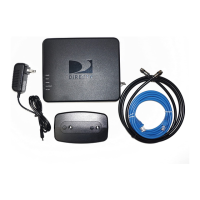
CCK-W will only apply to upgrade activities where SWiM/MRV equipment is not present and not being
installed as part of the upgrade. The CCK (coax broadband DECA) will be the default for any upgrade
where SWiM/MRV equipment is already in place, or is included in the upgrade activity. If a customer who
qualies for the CCK opts for the wireless version, their only oer will be for a drop ship of the CCK-W.
There will be no professional install oer in this case.
For an upgrade customer to qualify for the CCK-W, they must 1) not have SWiM/MRV equipment and 2)
have a wireless router in the home. These customers may opt for multiple wireless Cinema Connection
Kits, one for each HD-DVR they would like to connect to the internet.
When applied to the work order, each CCK-W will include two Order Line Items, one each for equipment
and labor.
• Product Line: WIRELESS INTERNET HARDWARE
• Product Name: WiFi BB DECA
• Work Order Duration Impact: 15 minutes
• Product Line: WIRELESS LABOR
• Product Name: WIFI BB DECA LABOR
For all new HD installs, CCK (coax) will be the automatic systemic default, as all are SWiM and MRV.


 To Next Page
