Need help?
Do you have a question about the Disaster Area Designs SMARTClock Gen3 and is the answer not in the manual?
Learn how to set the device's master clock tempo using tap tempo or the Edit Knob.
Adjust tempo subdivisions for each output, selecting from Quarter, Dotted 8th, 8th, or Triplet.
Configure and send MIDI program change messages to connected MIDI devices.
Instructions for saving current settings to presets and recalling them later.
Understand how the SMARTClock displays the current tempo in Beats Per Minute.
Connect devices using mono patch cables to the tap tempo input jacks.
Connect the SMARTClock's MIDI output to your pedal's MIDI input for synchronization.
Utilize MultiJacks for MIDI connections with compatible pedals via 1/4" jacks.
Configure outputs for remote switching, controlling amp channels or footswitch functions.
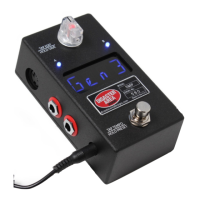
Details on the Edit Knob, Footswitch, Status LED, and USB MIDI functionality.
Description of MIDI Input/Output ports and the DC 9V power connection.
Information on Main Outputs A & B and MultiJacks C & D for tap tempo and MIDI.
Guide to navigating and configuring various settings within the Setup menu.
Setting MultiJacks for tap tempo, remote switching, or MIDI output functionality.
Details on hardware DIP switches for pull-up functions and MultiJack setup.
How the SMARTClock handles external MIDI clocks and responds to MIDI messages.
Activating the SMARTClock as a USB MIDI interface for computer connectivity.
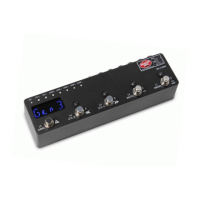
The Disaster Area Designs SMARTClock Gen3 is a compact pedalboard clock source and MIDI controller designed to synchronize multiple time-based effects on a pedalboard.
At its core, the SMARTClock Gen3 features a master clock capable of operating at any tempo from 30 to 300 beats per minute. This master clock sends out its clock source over MIDI and generates tap tempo signals to interface with non-MIDI pedals. The device is capable of controlling most pedals and rack units that have a tap tempo input jack. It can also function as a USB MIDI interface, allowing access to external MIDI gear from a computer. In this interface mode, all internal functions of the SMARTClock are disabled, dedicating its processing power to interface duty.
 General
| Brand | Disaster Area Designs |
|---|---|
| Model | SMARTClock Gen3 |
| Category | Controller |
| Language | English |

 To Next Page