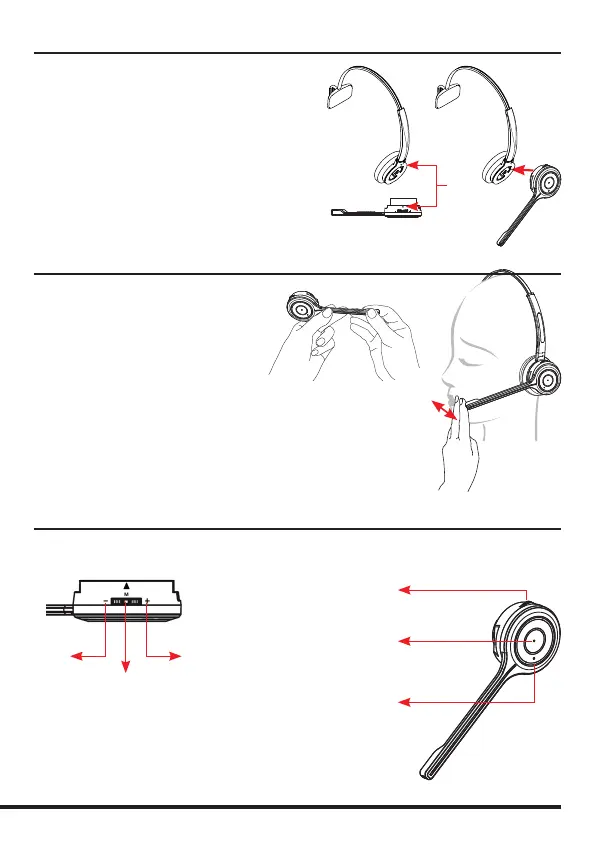
Attaching the microphone boom arm to the headband
To attach the microphone boom arm to the
headband, align the triangle shape on the
microphone boom arm with the triangle shape
on the headband and push to click into place.
The microphone boom arm will then rotate to
your required position.
Align
Positioning the Microphone
30mm
The microphone boom arm is exible, so
you can gently bend the boom and position
it to suit the curve of your face.
The ideal position for the microphone is
at the corner of the mouth approximately
30mm (2 nger width) away from the mouth.
Microphone Boom Volume Control
Down Up
Mute
Mute /
Speaker Volume
Hook On/O
Answer / End
a call
In-use / busy
indicator
To change the speaker volume: roll the volume
switch towards the ‘plus’ sign to increase the
volume and roll the switch towards the ‘minus’
sign to reduce the volume and press the switch
to activate the microphone mute mode.


 To Next Page