One Chunnel GSM VoIP Gateway
7
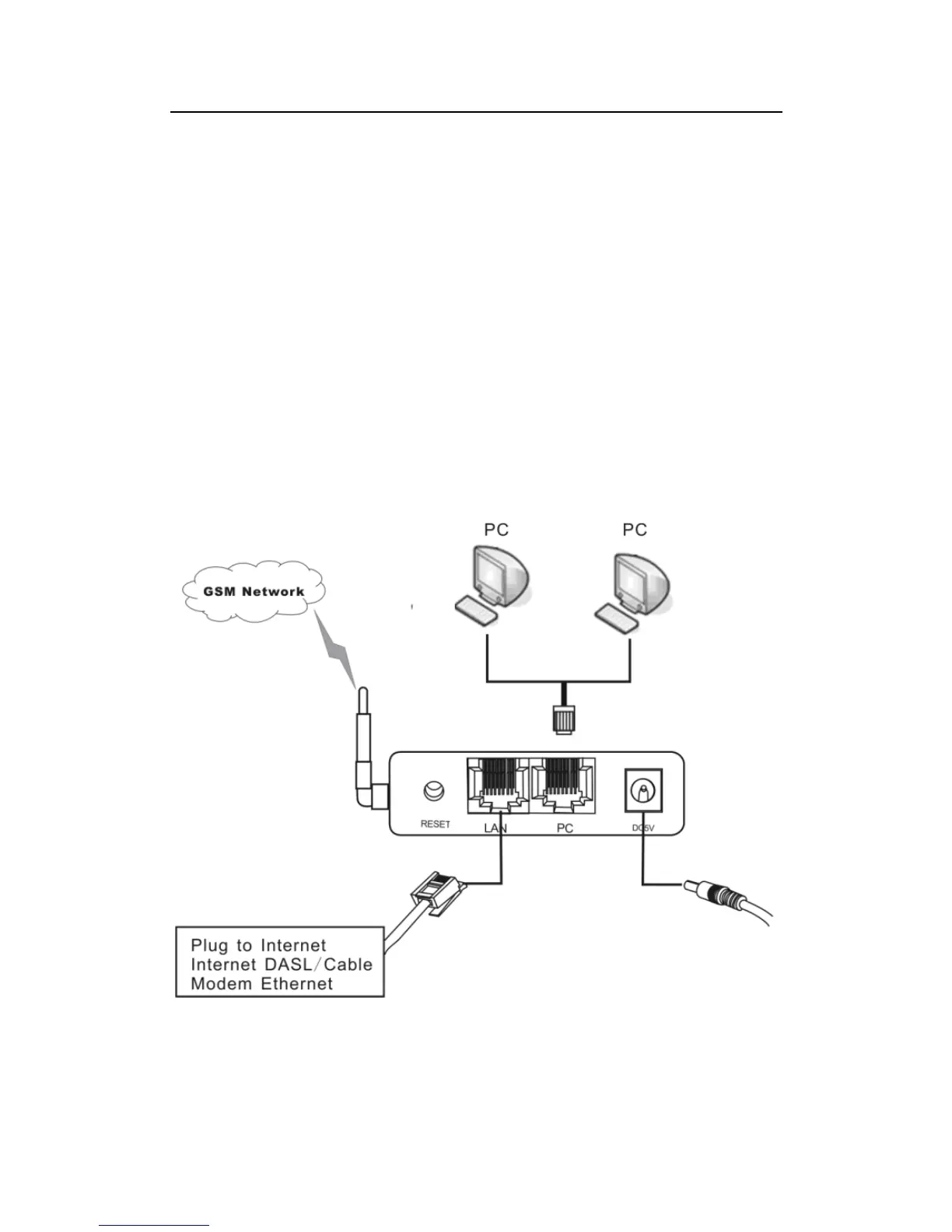
1) LAN
Connect this port to an Ethernet Switch/Router, the Ethernet of a DSL modem, or
other network access equipment.
2) PC
Connect a computer or other network device to this port.
3) POWER (DC4.5V/2000mA)
Connect the 4.5V/2000mA Adapter provided to this power jack.
4) Reset
Press this button to reset the GoIP Gateway to factory defaults.
2 Installation
2.1 Installation Steps
Please follow the connection diagram above to install the GoIP Gateway.
a) Insert a GSM SIM card in the SIM card compartment located at the bottom of the
GoIP Gateway’s.


 To Next Page