12
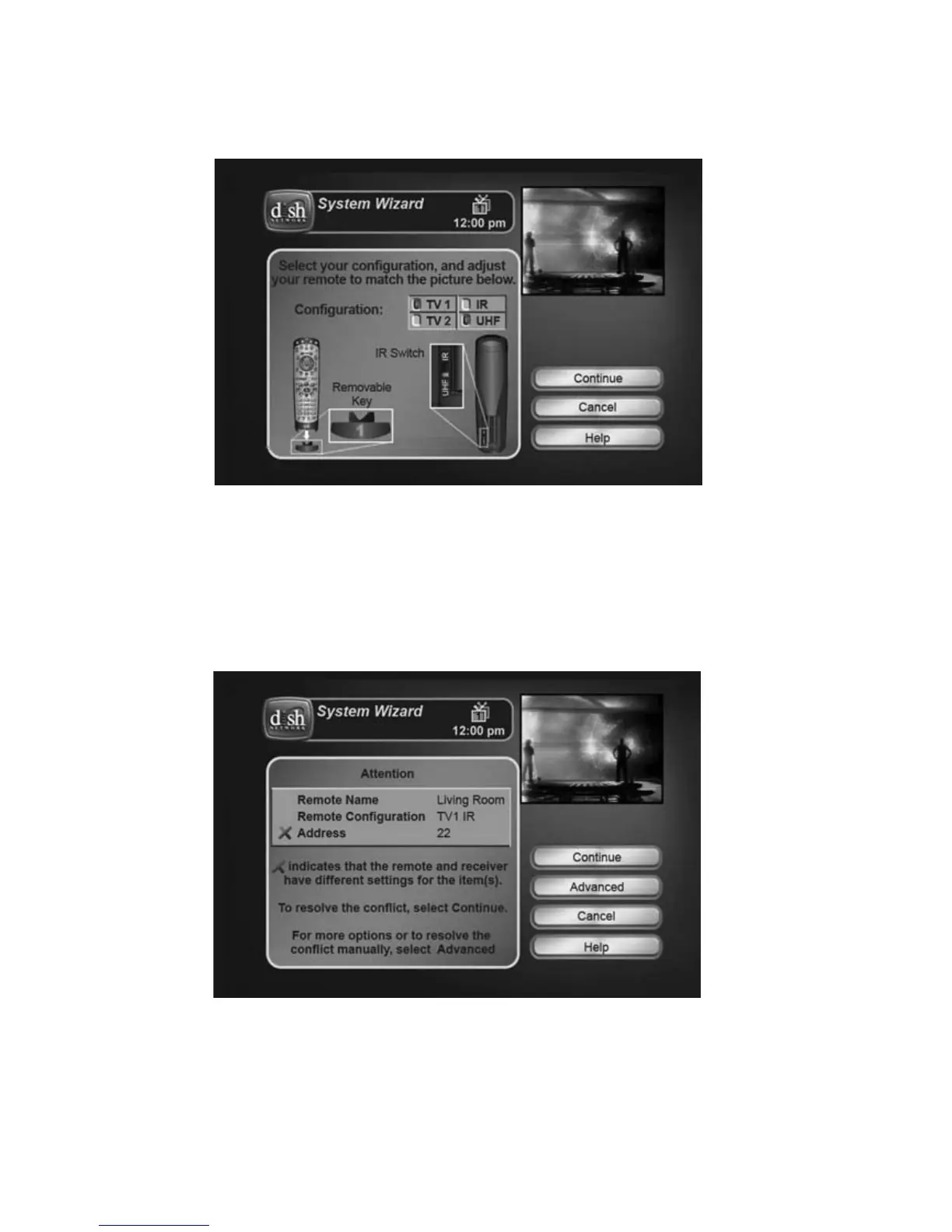
ADJUST REMOTE CONFIGURATION
You may see a screen asking you to adjust the physical configuration of
the remote control.
Configure the remote key (see page C-2) and the UHF/IR switch (see
page 14) as shown on the screen, and then select Continue.
RESOLVE ADDRESS CONFLICT
You may also see a screen noting that your remote control is not set to
the same address as your receiver.
Select Continue on this screen and the wizard will attempt to resolve
the address conflict between the remote control and the receiver.














 To Next Page