EasyManua.ls Logo

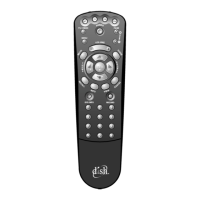
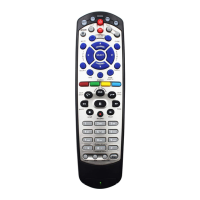
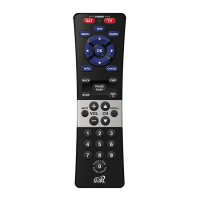
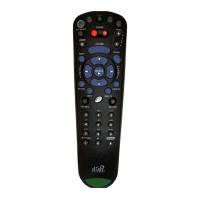
Dish Network Remote Control - User Manual

Dish Network Remote Control
32 pages
Print Icon
To Next Page IconTo Next Page
Loading...
Remote Control
User's Guide
Remote Control
User's Guide
TM
C
M
Y
CM
MY
CY
CMY
K
5.3 Cover.pdf 11/24/2006 11:49:16 AM

Questions and Answers

  • J
    John NixonJul 26, 2025
    How to fix Dish Network Remote Control not working?
    • A
      Amanda FullerJul 27, 2025
      If your Dish Network remote control isn’t working, there are a few things to check. First, ensure that the remote control is in the correct mode. Second, if you have a multi-room receiver, make sure you are using the correct remote control (TV1 or TV2) for your location. Third, try replacing the batteries.
  • J
    jacobkeyJul 31, 2025
    What to do if the Dish Network volume button is not working?
    • A
      andrewfigueroaJul 31, 2025
      If the Mute or Volume button on your Dish Network remote isn't working, it could be due to a couple of reasons. First, the remote control may not be set up. Second, if you're trying to control TV volume, the remote might be set up to control a tuner or amplifier in AUX mode. You should set up the remote to control either TV volume or tuner/amplifier volume, whichever you prefer.
  • J
    Jeffrey BrennanAug 5, 2025
    What to do if Dish Network stops working during programming?
    • J
      Johnny JohnsonAug 5, 2025
      If your Dish Network Remote Control stops working while you are programming it, it might be because the programming function shuts off if no button is pressed for 20 seconds. If this happens, start over again.
  • J
    Johnny ObrienAug 10, 2025
    Why is my Dish Network Remote Control not working correctly?
    • C
      Calvin VillaAug 10, 2025
      Your Dish Network Remote Control might not be working as expected due to several reasons. First, ensure the remote is set to the correct mode for the equipment you're trying to control by pressing the appropriate mode button. Second, make sure you're pointing the remote directly at the equipment without any obstructions blocking the signal. Third, check the batteries: they might be missing, inserted incorrectly, weak, or dead. Replace them with fresh AAA batteries, ensuring they're correctly installed. Finally, verify that you've properly set up the remote to control the equipment you're using.
  • V
    Veronica GarciaAug 15, 2025
    Why is my Dish Network Remote Control picture snowy?
    • T
      Tommy Stephens DDSAug 15, 2025
      A snowy, blue, or black picture when using your Dish Network Remote Control may be because you have accidentally changed the channel on your TV. Make sure your TV (and VCR, if connected) is tuned to the correct channel.
  • J
    John SmithAug 20, 2025
    Why PIP (Picture-In- Picture) button on Dish Network isn’t working?
    • J
      johnsonkennethAug 21, 2025
      Your receiver doesn’t use PIP, you may need to upgrade to a receiver with this feature.

Summary

Quick Setup

Program the Remote to Control Your TV

Guide to programming the remote to operate a television.

Operation

REMOTE CONTROL OVERVIEW

PROGRAMMING FOR OTHER EQUIPMENT

Instructions for programming the remote to control other devices.

PROGRAMMING USING EQUIPMENT CODE TABLES

SWITCHING BETWEEN TV AND AMPLIFIER VOLUME CONTROL

PROGRAMMING THE REMOTE TO CONTROL A SECOND RECEIVER IN AUX MODE

READING OUT THE REMOTE CONTROL CODES

DISCRETE CODES FOR LEARNING REMOTES

EQUIPMENT CODES

TV CODES

Lists of codes for programming the remote to control TVs.

VCR CODES

Lists of codes for programming the remote to control VCRs.

DVD PLAYER CODES

Lists of codes for programming the remote to control DVD players.

TUNER;AMPLIFIER CODES

Lists of codes for programming the remote to control tuners/amplifiers.

TV;VCR COMBO CODES

Codes for programming the remote for TV/VCR combination equipment.

TV;DVD COMBO CODES

Codes for programming the remote for TV/DVD combination equipment.

TV;DVD;VCR COMBO CODES

Codes for programming the remote for TV/DVD/VCR combination equipment.

TV;VCR;TUNER COMBO CODES

Codes for programming the remote for TV/VCR/Tuner combination equipment.

TROUBLESHOOTING

Dish Network Remote Control Specifications

General IconGeneral
Power SourceBattery
Battery TypeAA
Number of Batteries2
CompatibilityDish Network Receivers
FeaturesMenu Navigation
ColorBlack
TypeInfrared (IR)
ButtonsNumeric Keypad, Navigation Arrows

Related product manuals