4 Press the device power button
Your device will turn on or o
If your device does not turn o or on, return to step 1,
trying a dierent code for the manufacturer of your device
Ensure you are within ten feet of
your device, pointing the remote
control directly at it
3 Press #
The device button you selected
will flash three times
See Device Codes in this guide
2 Enter the three-digit code for your device
while the device buttons are lit up
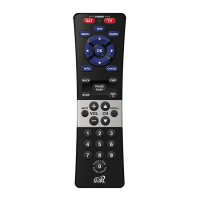
1 Press and hold the device button you want to
program until all four device buttons light up
Press and hold
∙ TV to pair with your TV
∙ DVD or AUX to pair with
any other device
Pair Your Remote












 To Next Page