Page 8
4. The Check Switch procedure will run. When it finishes, you
will see an
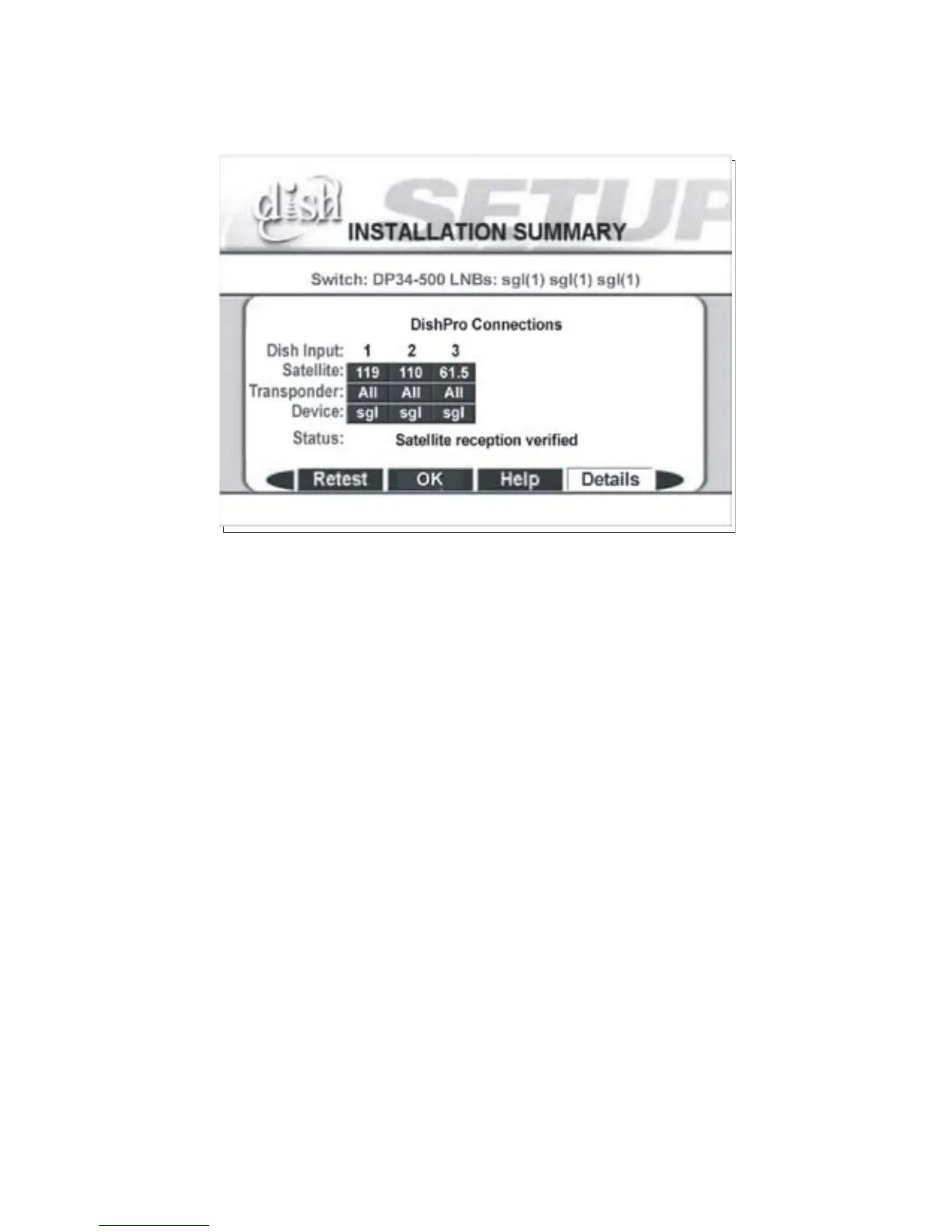
Installation Summary screen.
Figure 3. Installation Summary Example
While your screen may not look exactly like the one shown in
Figure 3, you must see:
• Switch identified as a DP34.
• Dish Input identifies the orbital locations where satellite signals
are detected.
• Devices (LNBFs) correctly identified.
• Satellite reception verified.
If any of the information is missing, check all cables and
switches, and then run
Check Switch again.



 To Next Page