Page 7
4. Ground the system in accordance with the National Electric
Code (NEC) and all local electrical codes.
After you have connected cables and DP34 Switches to all
receivers in the system, you will need to run
Check Switch on each
receiver in your system, one at a time.
To do this, follow these
instructions for most receivers:
1. Open the
Main Menu, then System Setup, Installation, and
Point Dish/Signal.
2. A
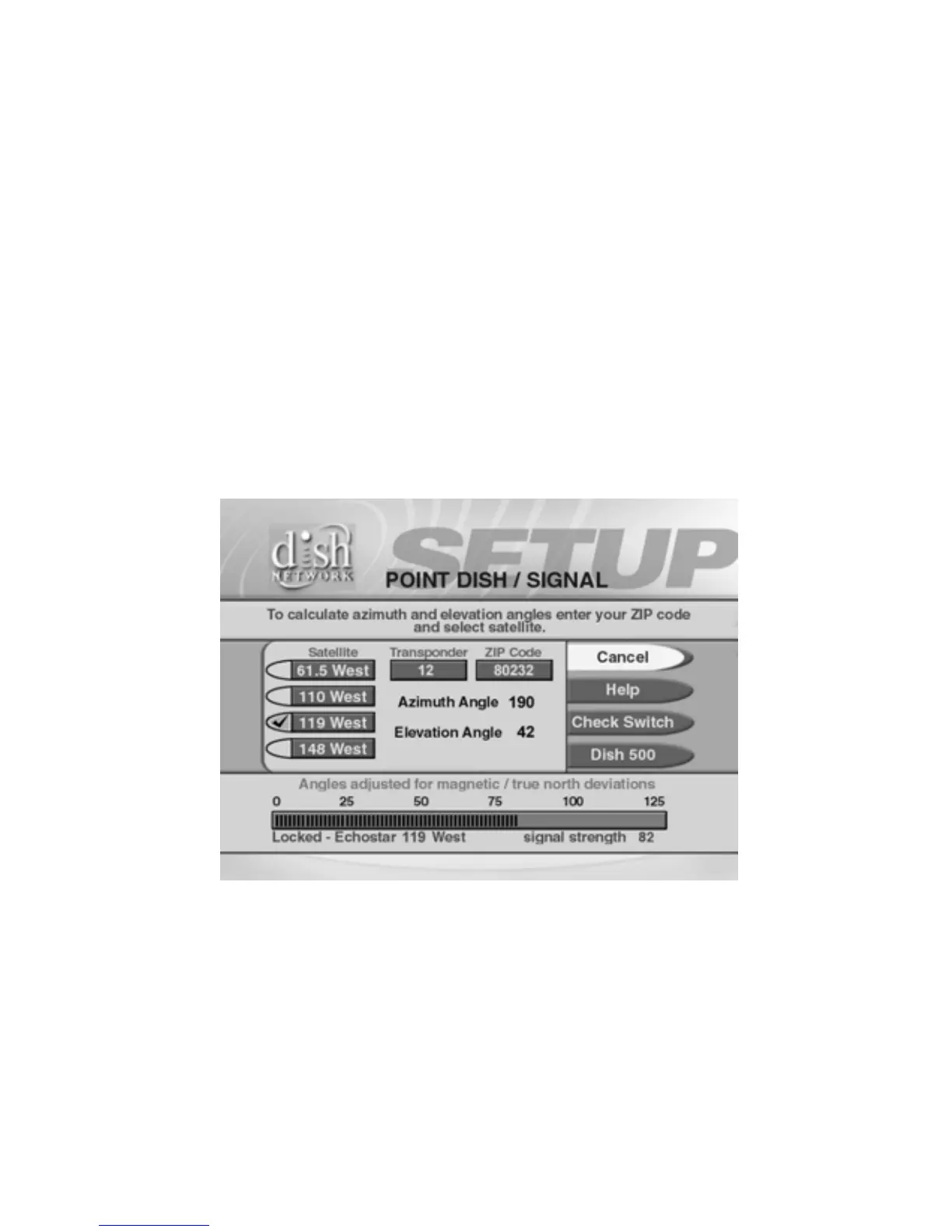
Point Dish/Signal menu similar to the one shown in
Figure 2 will open.
Figure 2. Point Dish/Signal Example
3. Select Check Switch or Check. The Check Switch screen will
open. Select
Check or Test.



 To Next Page