Page 4
• For other Dish Network receivers without DISH Pro or
DISH Plus logos, you must purchase and use a DISH Pro
Adapter for each of these receivers. DISH Pro Adapters
can be purchased from your DISH Network retailer, or by
calling our Customer Service Center at 1-800-333-DISH
(3474). The DISH Pro Adapter includes instructions for
setting up and installing the receiver
SAT IN tuner
connection to a DP34 switch receiver port.
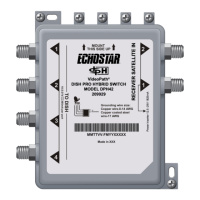
This Guide explains how to install one or more DP34 Multi-Dish
Switches. You should use this Guide along with the DISH Pro
Installation Instructions that are in the user guide that came with
your receiver.
The following instructions assume you have already pointed your
dish for the strongest possible signal, and have run Check Switch
with the DISH Pro LNBF connected directly to the receiver’s
Satellite In port. If not, you must install the dish, using the
instructions that came with it, before installing the switch.
Attention: The switch can be used only with DISH Pro
and DISH Network Bandstacked FSS and DBS
LNBFs. The DP34 switch will not work with the DISH
Pro Plus or non-DISH Pro LNBFs.



 To Next Page