6.
Activating Your Replacement Receiver (Cont’d)
e.
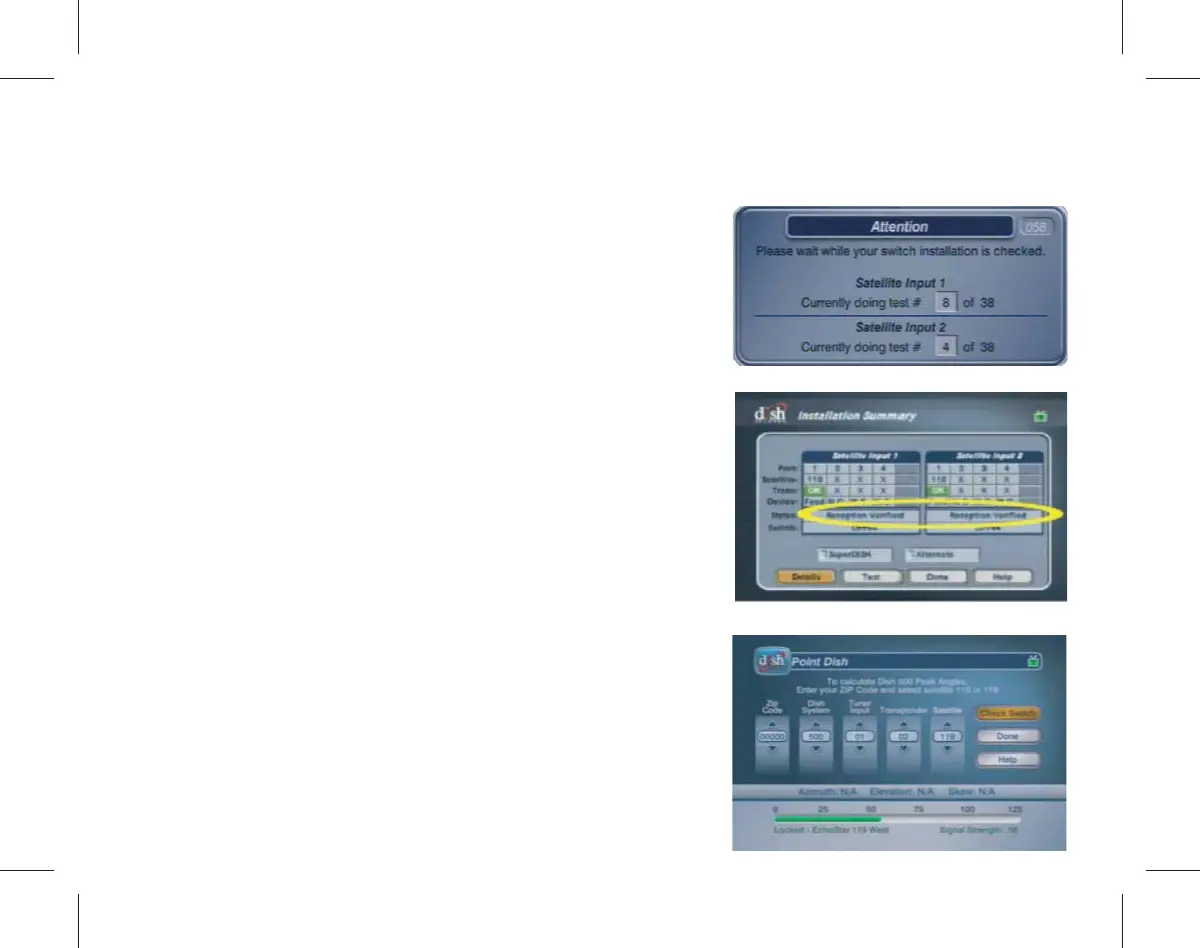
Using the arrows buttons on your
remote, highlight and select Done to
exit the “Installation Summary” screen.
Allow up to 1 minute to verify that the
signal bar shows “Locked Echostar...” at
the bottom of the screen.
d.
When the test is complete, look at the
“Installation Summary”screen and verify
that you see “Reception Veried” in the
Status box. If you do not see “Reception
Veried”, make sure your cables are
connected correctly and then repeat
Step 6b.
c.
Wait for the test to complete and the
Attention 058 pop-up to disappear.



 To Next Page