70
Pairing Your Remote Control
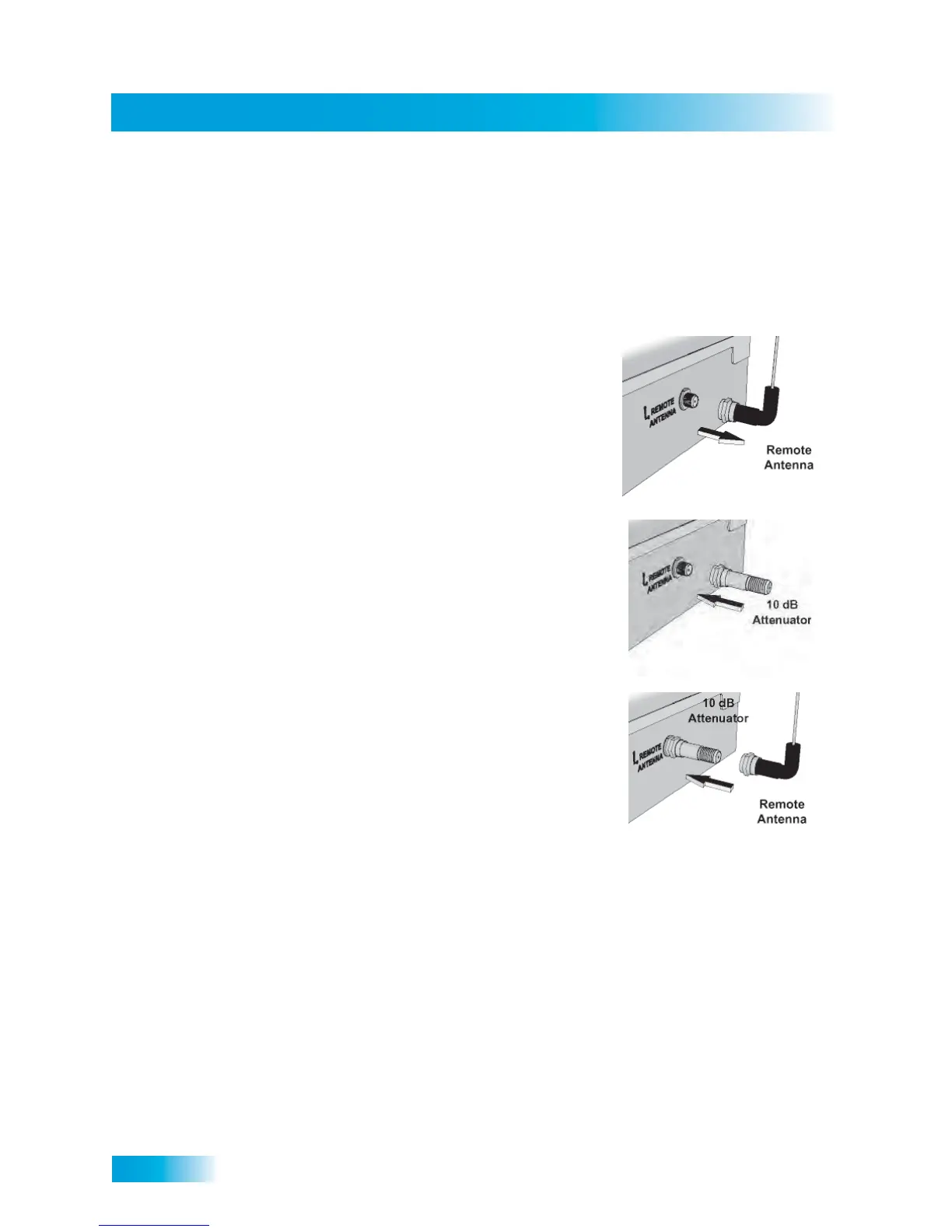
Installing a UHF Attenuator
Unwanted UHF signals may interfere with signals from the remote control to the receiver.
To prevent such interference, you can install a 10 dB attenuator (available from many
electronics parts stores). Adding this attenuator will help keep out stray UHF signals, but it
will also cut down how far away your remote control can operate the receiver.
1 Remove the remote control antenna from the
R
EMOTE ANTENNA input on the receiver’s back
panel.
2 Attach a 10 dB attenuator directly to the REMOTE
A
NTENNA input.
3 Attach the remote control antenna to the newly
installed attenuator.



 To Next Page