8500 Tracking System Operator’s Manual Controls - 17
8500TK
CMW
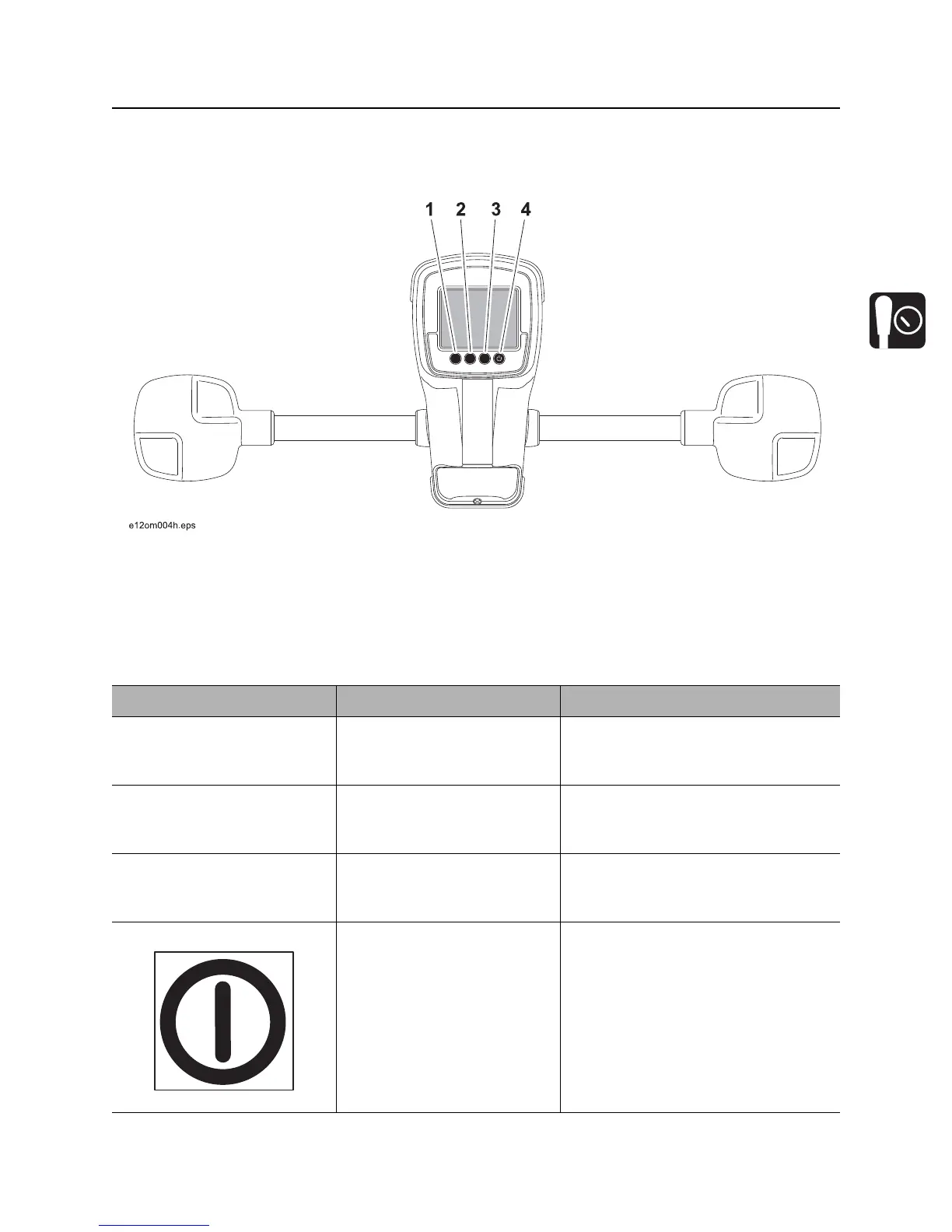
Buttons
Overview
1. Soft button
2. Soft button
3. Soft button
4. Power button
Item Description Notes
1. Soft button Function depends on
selected mode and is
indicated above button.
Button is also used to access quick
functions.
2. Soft button Function depends on
selected mode and is
indicated above button.
Button is also used for quick
functions.
3. Soft button Function depends on
selected mode and is
indicated above button.
Button is also used for quick
functions.
4. Power button To turn on, press once.
To turn off, press for 2
seconds.
Button is also used for quick
functions.
si1017a-d.eps


 To Next Page