System Operation - 36 8500 Tracking System Operator’s Manual
Walkover Location Mode
CMW
Walkover Location Mode
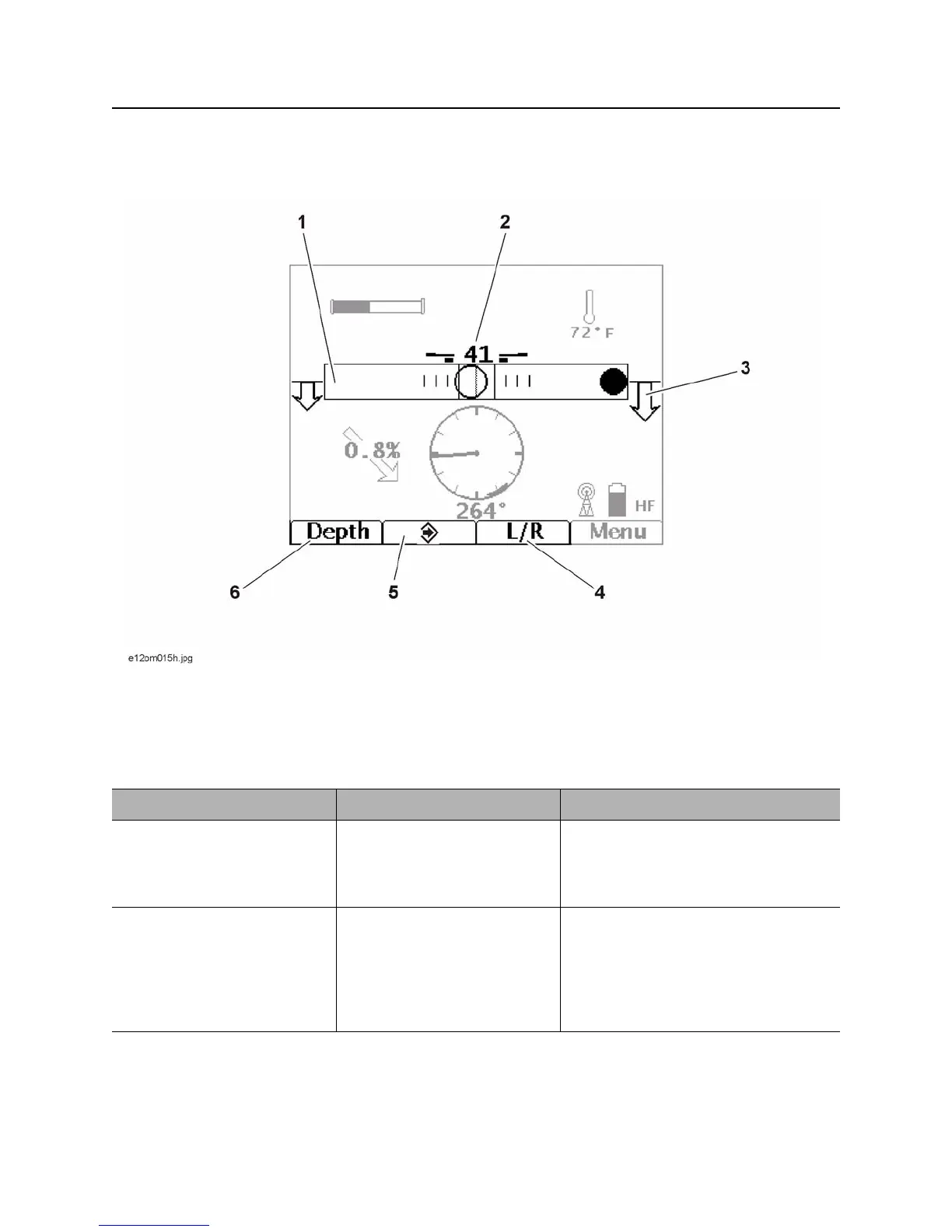
Locate Screen
1. Field balance bar
2. Signal strength
3. Locate arrows
4. L/R button
5. Send button
6. Depth screen button
Item Description Notes
1. Field Balance Bar Indicates tilt of tracker (hollow
circle) and magnetic field
balance (solid circle).
Beacon is properly located when both
circles are located in the square in the
center of the bar and fore/aft arrows
form diamonds.
2. Signal Strength Average signal strength is
displayed numerically.
Gain and signal strength bars
are also displayed to each
side of numeric value.
Bars get longer as number gets
smaller.


 To Next Page