8500 Tracking System Operator’s Manual Controls - 25
8500D
CMW
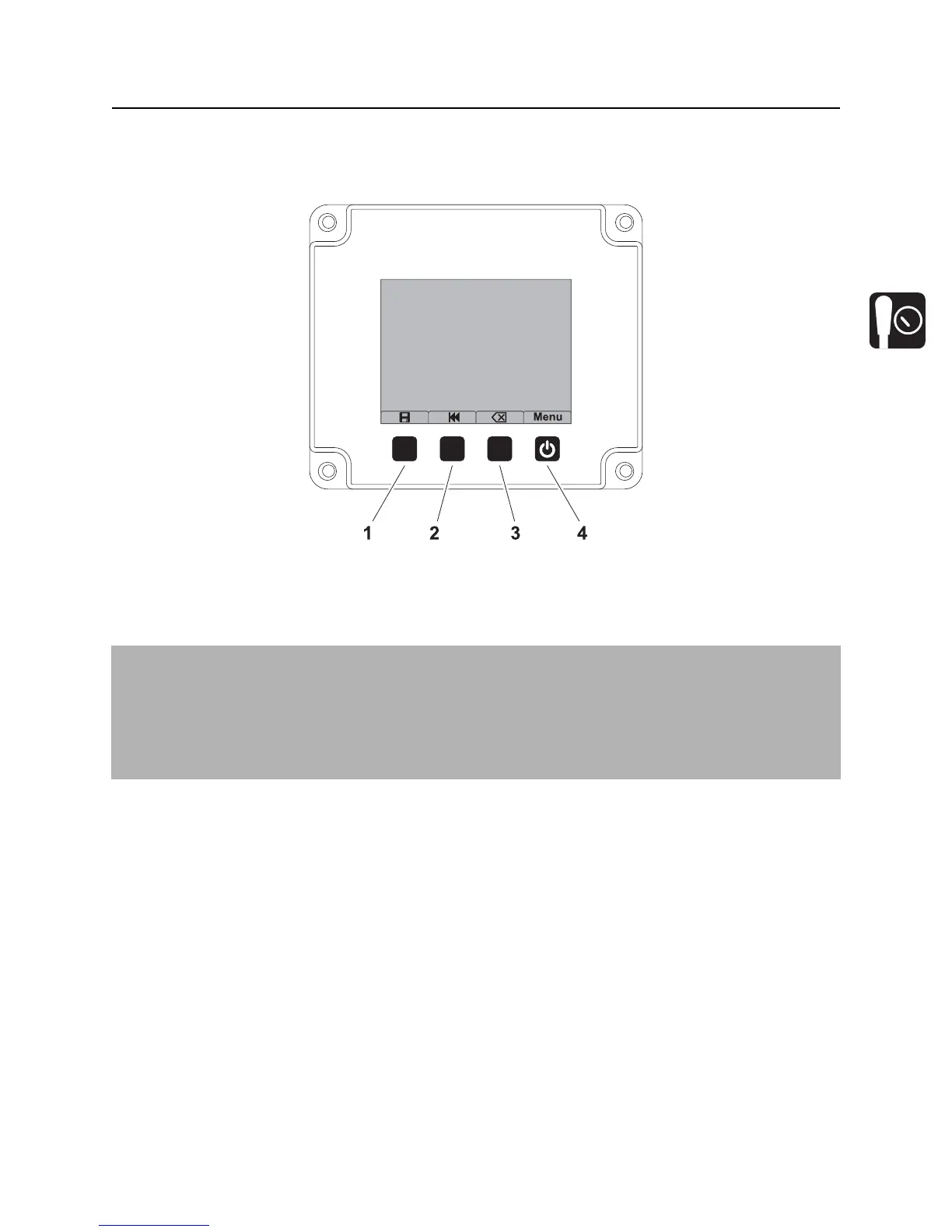
Buttons
Overview
1. Save button
2. Review button
3. Delete button
4. Power button
IMPORTANT:
• Some icons and functions will change when display is properly connected to TMS Plus. These are
shown and explained in the following table.
• SD card must be installed and have active log file or display must be connected to TMS Plus to
store, review or delete logged data.


 To Next Page