1592010870 XWEB3000-5000 EVO STP GB r1.6 12.10.2018.doc XWEB3000/5000 EVO 15/22
6.4 CONNECTIVITY WITH CROSS CABLE
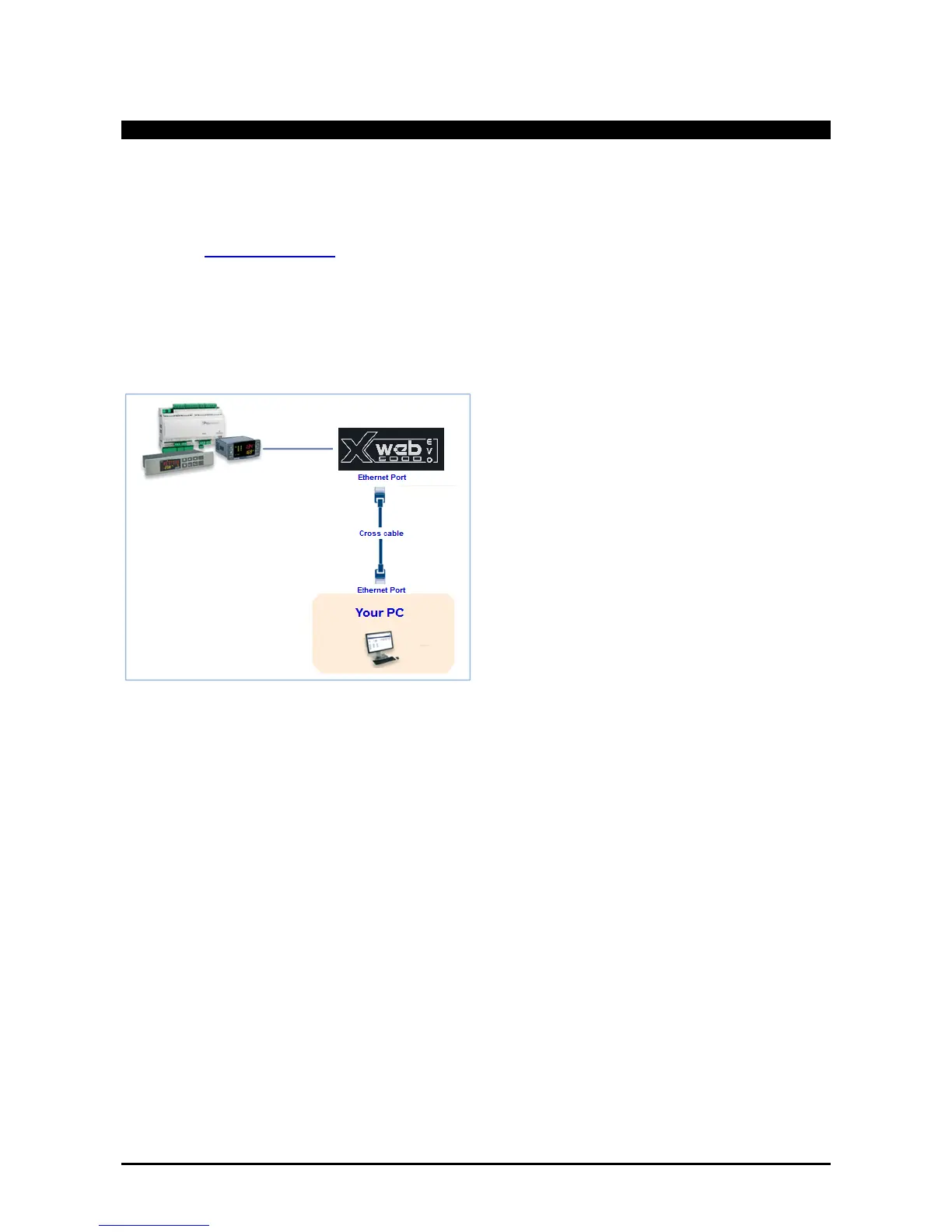
Local access from the PC is the fastest way to manage setup. It is possible to connect a PC to XWEB-EVO
through the network interface supplied with an ‘RJ45 Ethernet connector’. The connection between the two
must be set up using a cross network cable (aka 'cross cable'). This cable is available at any computer store.
Once the physical connection has been set up, launch the browser on your PC and enter the following in the
address bar http://192.168.0.200 (XWEB-EVO default address). The connection procedure is complete when
the login page opens up. Enter user name and password to start using your XWEB-EVO.
Caution: a pre-requisite to setting the connection up correctly is that the XWEB-EVO address and network
interface address on your PC need to have a compatible IP class. For example, with an XWEB-EVO network
interface configured with 192.168.0.200, the network interface on your PC can be configured with
192.168.0.15



 To Next Page