Page 25 of 72
CAM INSTALLATION AND REMOVAL
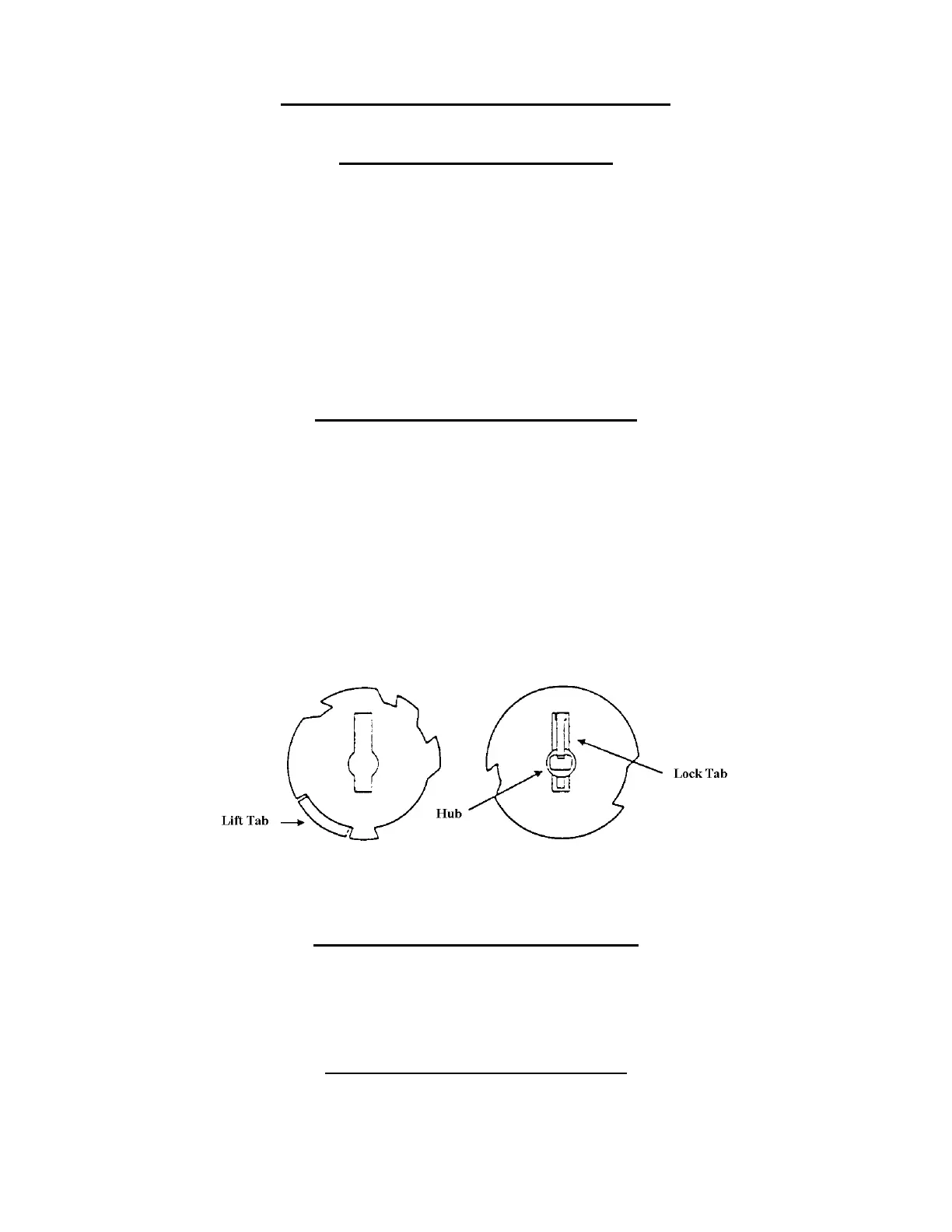
TO INSTALL A VENDING CAM
1. Select the Vending Cam required (See page 24).
2. Locate the Hub at the center of the Cam (See Fig. 6).
3. With the Hub facing you, slowly slide the Cam on the front shaft of the Vend Motor while
depressing the Lock Tab. (See fig. 6).
NOTE: Reference below for timing of the Motors.
4. A distinct click will be heard, when the tab has locked into the locator hole of the Motor shaft.
CAUTION: Depress the Switch Arm when installing the Cam to prevent possible damage to the Switch
Arm.
TO INSTALL AN ADJUSTABLE CAM
1. Select the Adjustable Cam required. (See page 24).
2. Locate the Lift Tab on the outer edge of the Cam. (See fig. 5).
3. With the Lift Tab facing you, align the slot of the adjustable Cam with the Locking Tab of the
vending Cam.
4. Place the Adjustable Cam on the Vending Cam.
CAUTION: Depress the Switch Arm when installing the Cam to prevent possible damage to the
Switch Arm.
5. Lift the Lock Tab of the Vending Cam, at the same time lift the Lift Tab of the Adjustable Cam
and rotate the Adjustable Cam clockwise to the desired setting.
TO REMOVE AN ADJUSTABLE CAM
1. Lift the Lift Tab and rotate the Adjustable Cam clockwise until the Vending Cam Lock Tab is
aligned with the slot of the Adjustable Cam.
2. Remove the Adjustable Cam from the shaft of the Motor.
TO REMOVE THE VENDING CAM
1. Depress (push in) the Lock Tab firmly to disengage it from the Motor shaft.
2. At the same time pull the Vending Cam towards you until it is removed from the Motor shaft.
Fig. 5
Adjustable Cam
Fig. 6
Vending Cam






 To Next Page