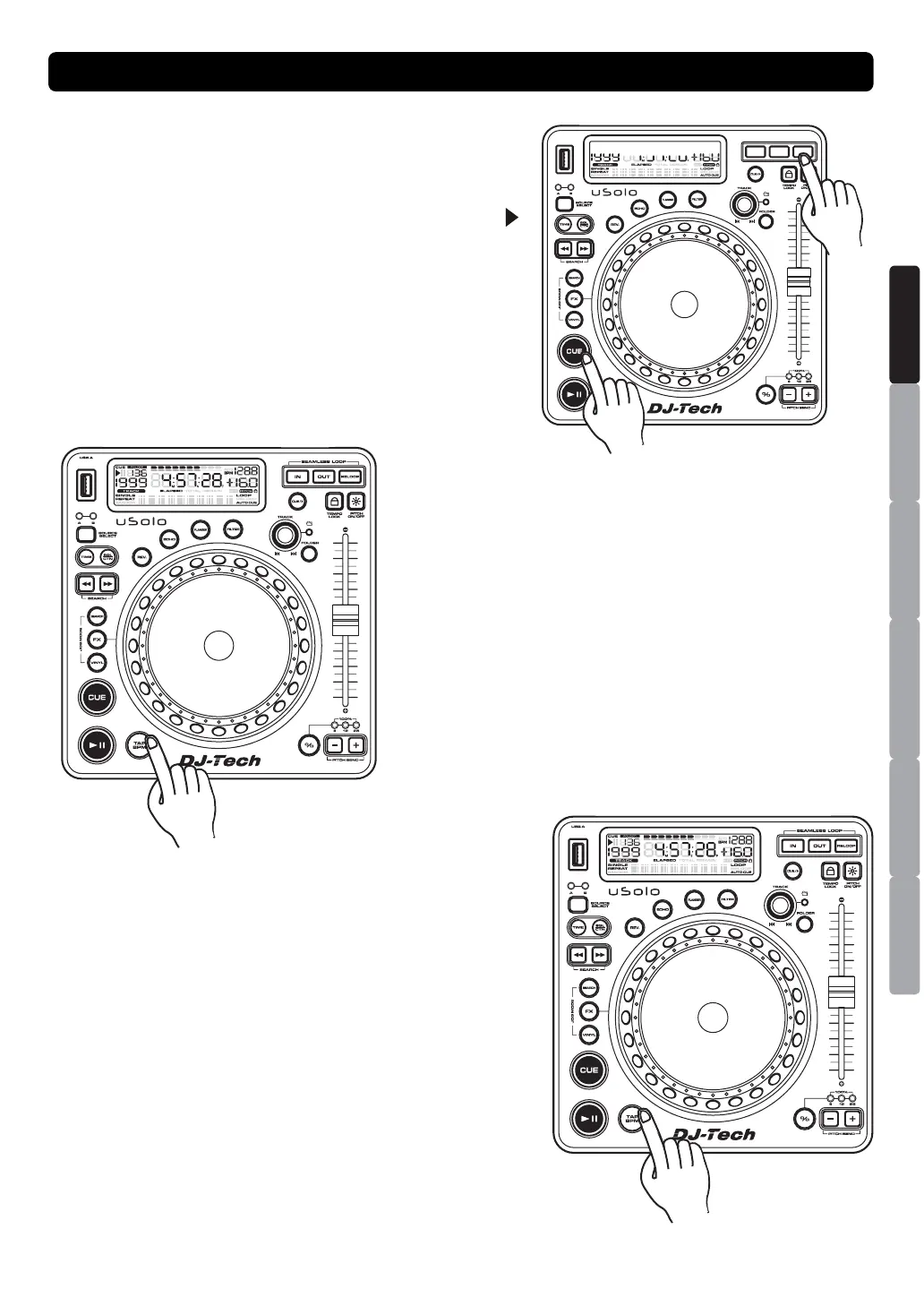
STUTTER EFFECT
When a loop is playing you can press RELOOP or CUE/
button to restart the loop at once. You can also press
RELOOP button when a track is not playing in loop. Every
time the RELOOP button is pressed, it will restart the
music from the pre-programmed cue point. The stutter
effect adds extra creativity to your performance.
TAP BPM
AUTO BPM is the default mode when power on. You can
switch Manual /Auto BPM by pressing the “TAP BPM”
button.
Notice:
Switch Manual BPM on just need one touch the button.
Switch Auto BPM on by pressing the “TAP BPM” button
more than 2 sec. and then the LCD will display “AUTO
BPM”.
There are two modes for BPM count as below:
1. Manual BPM: following the music tempo and press the
“TAP BPM” button to count BPM value; from the auto
BPM to manual mode, the value won’t change until the
correct BPM value is counted.
2. Auto BPM: counting BPM value automatically
without pressing “TAP BPM” button.
BASIC OPERATION
ESPAÑOL
ITALIANONEDERLANDS
ENGLISH
FRANÇAIS
DEUTSCH


 To Next Page